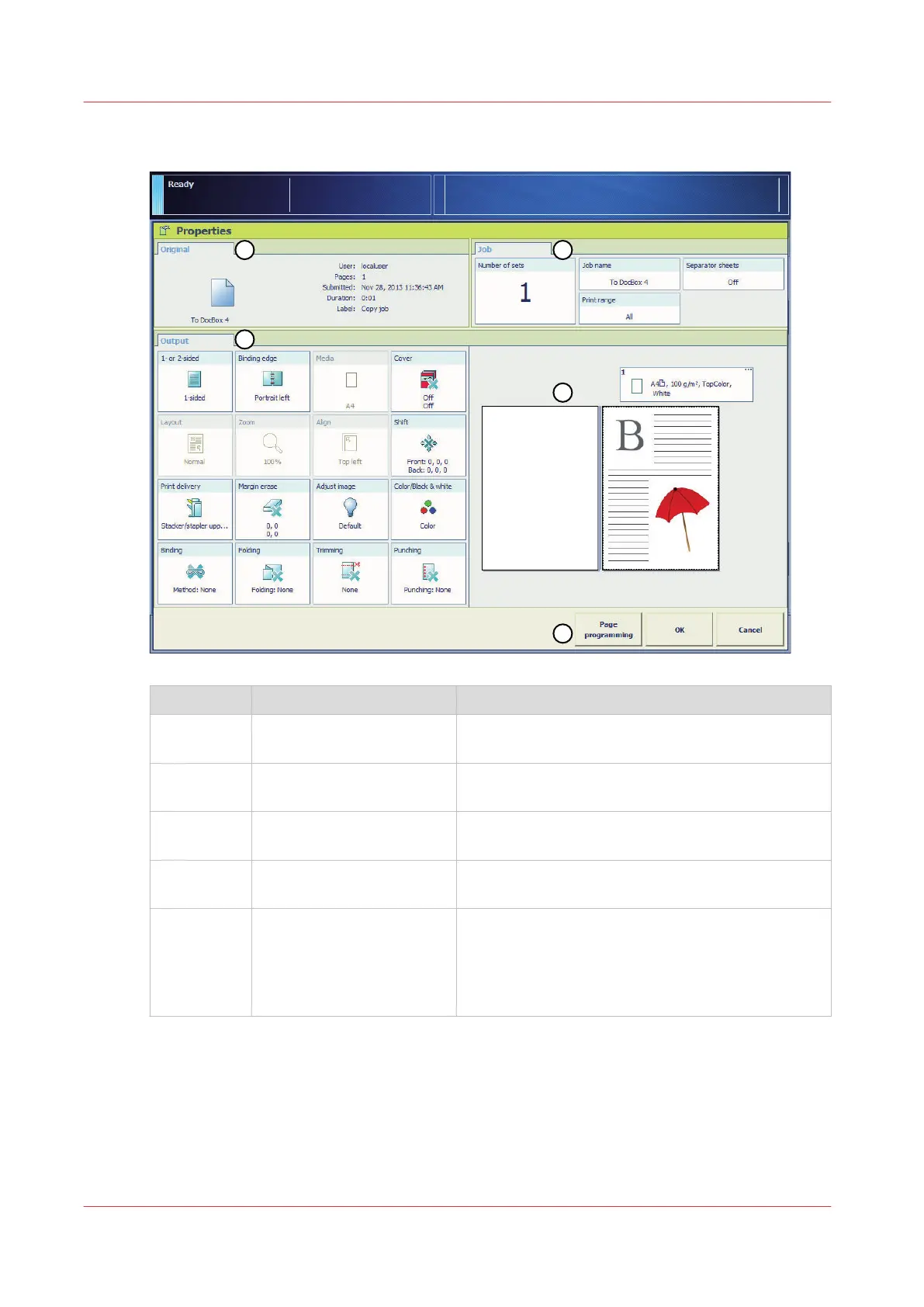
Available settings
Number Pane Description
1 [Original] The [Original] pane shows the general job settings
you can define for the originals
2 [Output] The [Output] pane shows the generic settings you
can define for the whole job
3 [Jobs] The [Jobs] pane shows the settings you can define
for the job
4 Preview The preview displays the settings you defined for
the output.
5 Action buttons The action buttons indicate the actions you can car-
ry out.
With the optional [Page programming] function,
you can insert pages and define the media and fin-
ishing settings for the page ranges in a job.
Overview of the Available Settings for DocBox Jobs
126
Chapter 8 - Plan the jobs
Canon varioPRINT DP line






 To Next Page