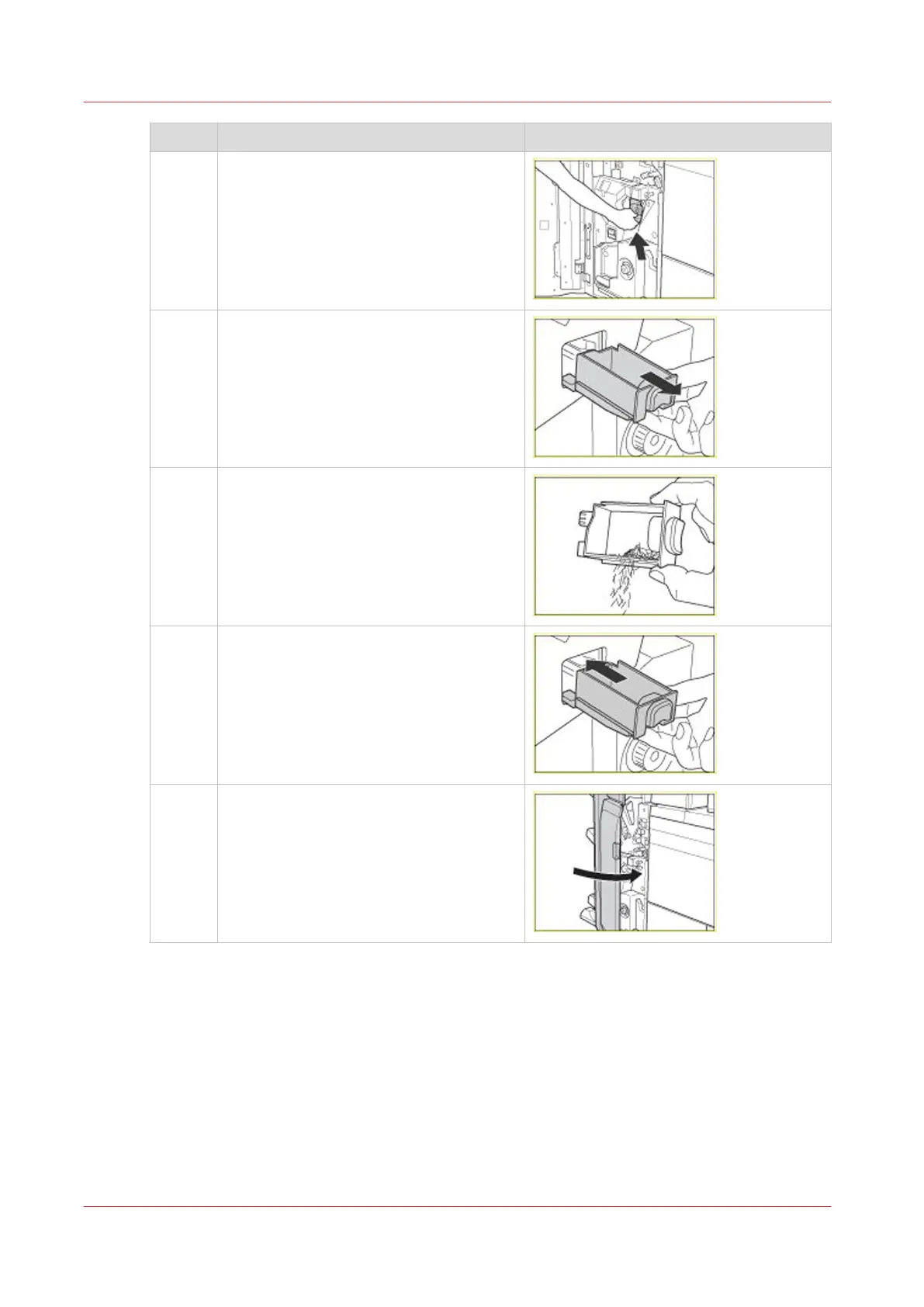
Step Action Illustration
5 Gently push the staple case as far as pos-
sible into the stapler unit until the staple
case is securely in place.
6 Pull out the stapler waste box. The stapler
waste box is located below the stapler
unit.
7
Caution: Do not touch the staple waste.
Empty the stapler waste box into a com-
mon dustbin.
8 Put the stapler waste box back into place.
9
Caution: When you close the front door of
the stacker/stapler, be careful not to get
your fingers caught, because this may re-
sult in personal injury.
Close the front door of the stacker/stapler.
Replace the Staple Cartridge of the Stapler Unit
428
Chapter 14 - Maintain the print system
Canon varioPRINT DP line










 To Next Page