4-70
Admin Viewer
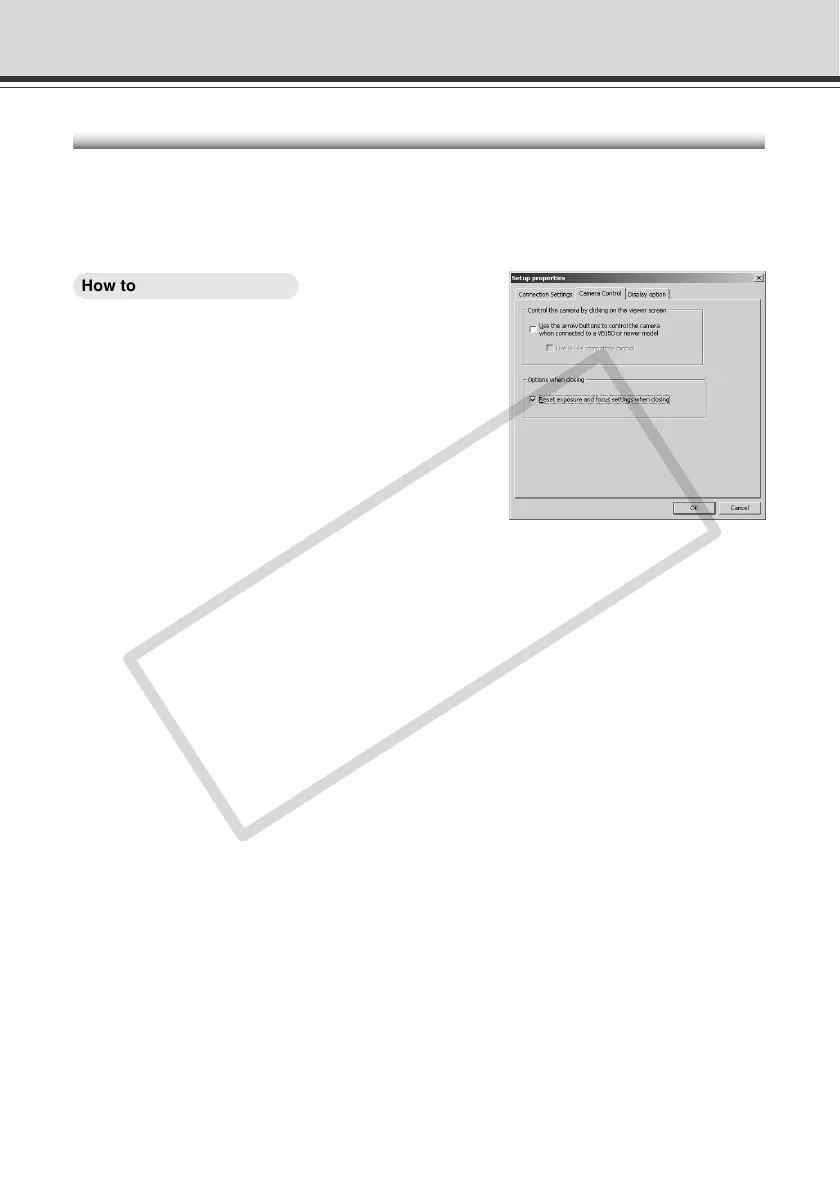
Restoring the Default Exposure and Focus Settings When Closing the Admin Viewer
When you use manual exposure in the camera-specific functions (→ P.4-66) or manual focusing
in the advanced camera controls (→ P.4-64), you can specify that the exposure and focus settings
revert to their defaults (Auto exposure and Auto focus) when you close the Admin Viewer. At the
next startup, the default exposure and focus settings will apply.
○○○○○○
How to Operate and Set Up
1. Choose “Setup Properties” from the “View”
menu bar.
2. When the Setup properties dialog box
appears, click the “Camera Control” tab.
Tick the “Reset exposure and focus settings when
closing” option in “Options when closing” and then click
the “OK” button.
3. When the “Try new property settings. OK?”
message appears, click “OK”.
The exposure settings revert to their defaults when you release the control privileges.



 To Next Page