2-11
Setting Up
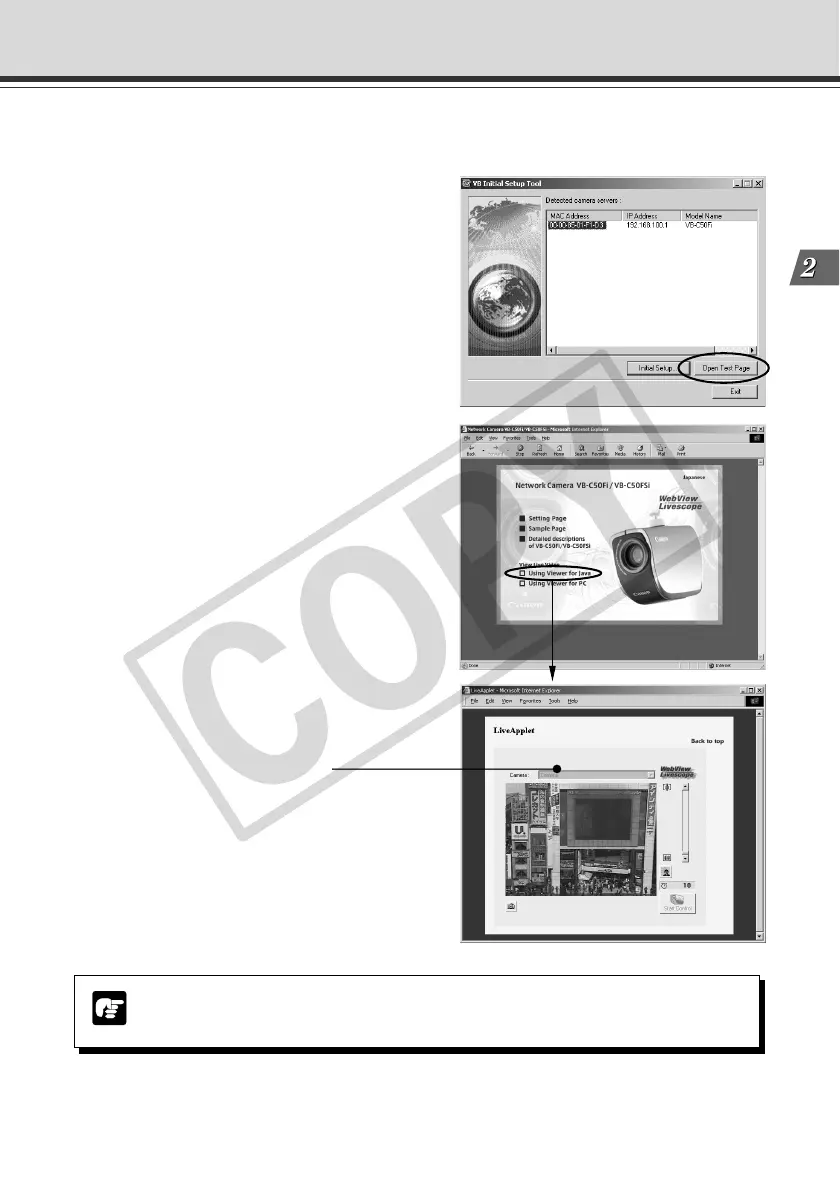
2. Your Web browser starts up and the
top page of the camera server appears.
Click the “Using Viewer for Java” or the
“Using Viewer for PC” and check that
the video is displayed properly.
Below is a description of what happens when
you click “Using Viewer for Java”.
When you have completed the initial setup, check that the VB-C50FSi/VB-C50Fi works normally.
Use the sample page to simplify checking.
4. Check Operation of the Camera
1. Select the MAC address you want to
check operation of and then click the
“Open Test Page”.
Camera Selection box
Allows you to switch cameras
when an external camera is
connected.
Note
For Windows Server 2003 users, see “Using the VB-C50FSi/VB-C50Fi with Windows
Server 2003” (→ P.1-7).



 To Next Page