Video 71
Pre-recording Function
The camcorder will start recording 3 seconds before you press
, ensuring you do not miss important shooting opportuni-
ties. This is especially useful when it is difficult to predict when to start
recording.
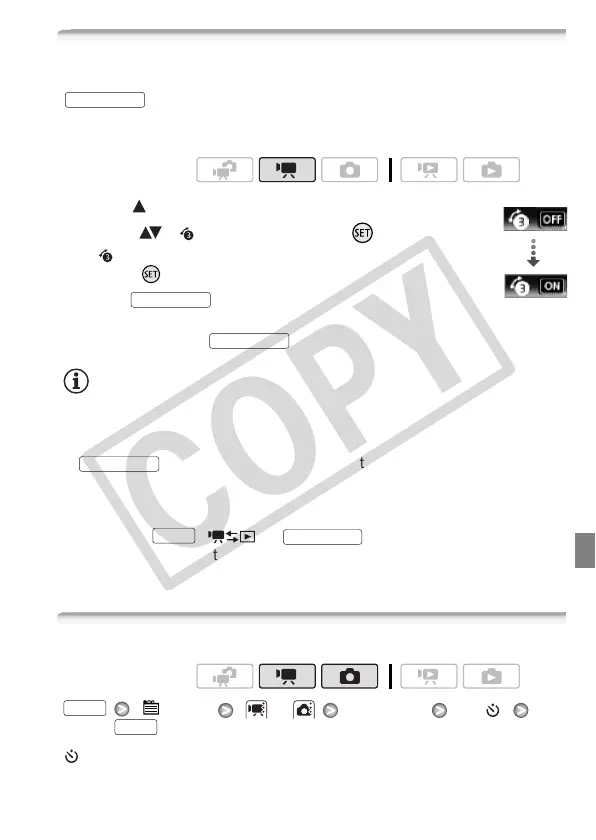
1 Open ( ) the joystick guide.
2 Select ( ) [ Pre REC] and press .
• appears.
• Press again to turn pre-recording off.
3Press .
The scene recorded in the memory will start
3 seconds before was pressed.
NOTES
• While pre-recording is activated, the camcorder will not emit any notifi-
cation sounds.
• The camcorder will not record the full 3 seconds prior to pressing
if the button was pressed within 3 seconds of having
turned on pre-recording or having finished the previous recording.
• Any of the following actions will deactivate the pre-recording function.
- Leaving the camcorder without any operation for 5 minutes.
- Pressing , or .
- Changing the position of the camera mode dial.
- Setting the camcorder to standby mode.
Self Timer
[ Menu] or [Self Timer] [On ]
appears.
Operating modes:
START/STOP
Pre REC
START/STOP
START/STOP
START/STOP
FUNC.
VIDEO SNAP
Operating modes:
FUNC.
FUNC.











 To Next Page