3
21
English
Wireless connection with Smart floorstanding- / compact speakers:
Note:
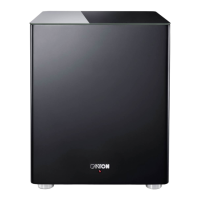
• Before connecting the Smart Sub 12 to the Smart speaker, please make
sure that the (new) Smart Sub 12 to be paired is not connected to the power
supply.
1
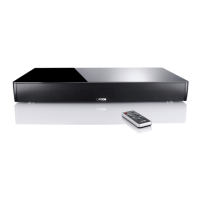
Turn on the (Master) Smart speaker using the „Power“ button. Press the menu
button „M“ on the Smart remote control to access the main menu of the
speaker. Select [WIS] Wireless Setup and press „OK“.
2
Now, select [WSP] Wireless Pairing and press „OK“.
3
Use the arrow keys ( , ) to select and confirm the master speaker:
MFL = Master Front Left MCE = Master Center
MFR = Master Front Right MSR = Master Surround Right
MSL = Master Surround Left
4
To connect another speaker, press „OK“.
5
Use the arrow keys ( , ) to select the speaker you want to pair. The following
channels are available:
FL = Front Left | FR = Front Right | CE = Center
SL = Surround Left | SR = Surround Right | SUB = Subwoofer
In this case, select [SUB] „Subwoofer“.
6
Press the „OK“ button. The display shows [PIR] „Pairing Sub“.
7
Now, plug the power cord of the Smart Sub 12 into the wall socket.
8
Approximately 10 - 20 seconds after the subwoofer is connected to the mains,
the status changes to [CON] „connected“. Smart speaker and subwoofer are
connected, now. Press the menu button „M“ repeatedly or wait 30 seconds to
exit the menu.






 To Next Page