Instruction manual C858i
18
Please keep this instruction manual for future reference
USING AS A LARGE ZONE
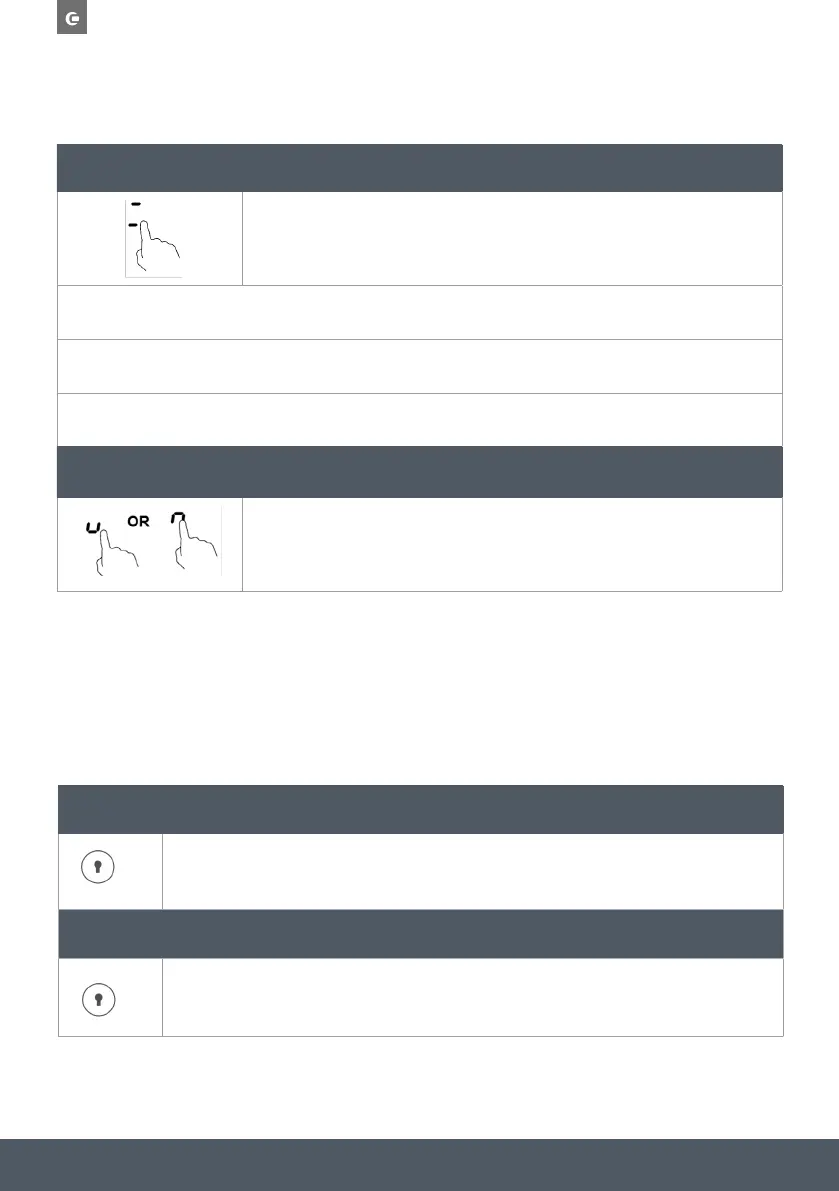
To activate the Bridge zone area as a single large zone, simply press the Bridge zone keys.
The power setting can be adjusted the same way as the single zones.
If the pot is moved from the front to the rear part (or vice versa), the flexible area automatically detects the new position,
keeping the same power.
To add a further pot, press the dedicated keys again, in order for the zone to detect the additional cookware.
USING TWO INDEPENDENT ZONES
To use the Bridge zone area as two different zones with different power settings, press
the dedicated zone keys.
CHILD SAFETY LOCK
- You can lock the controls to prevent unintended use (for example children accidentally turning
the cooking zones on).
- When the controls are locked, all the controls except the ON/OFF control are disabled. In the
event of an emergency, you can always turn the hob off by using the ON/OFF button.
TO LOCK THE CONTROLS
Touch the lock control, the timer will then display ‘Lo’.
TO UNLOCK THE CONTROLS
Touch and hold the lock control for a few seconds.



 To Next Page