19Instruction manual PYR600Please keep this instruction manual for future reference
REPLACING LED LIGHTING
LIGHT SOURCE ENERGY CLASS
This product contains a light source of energy efciency class F.
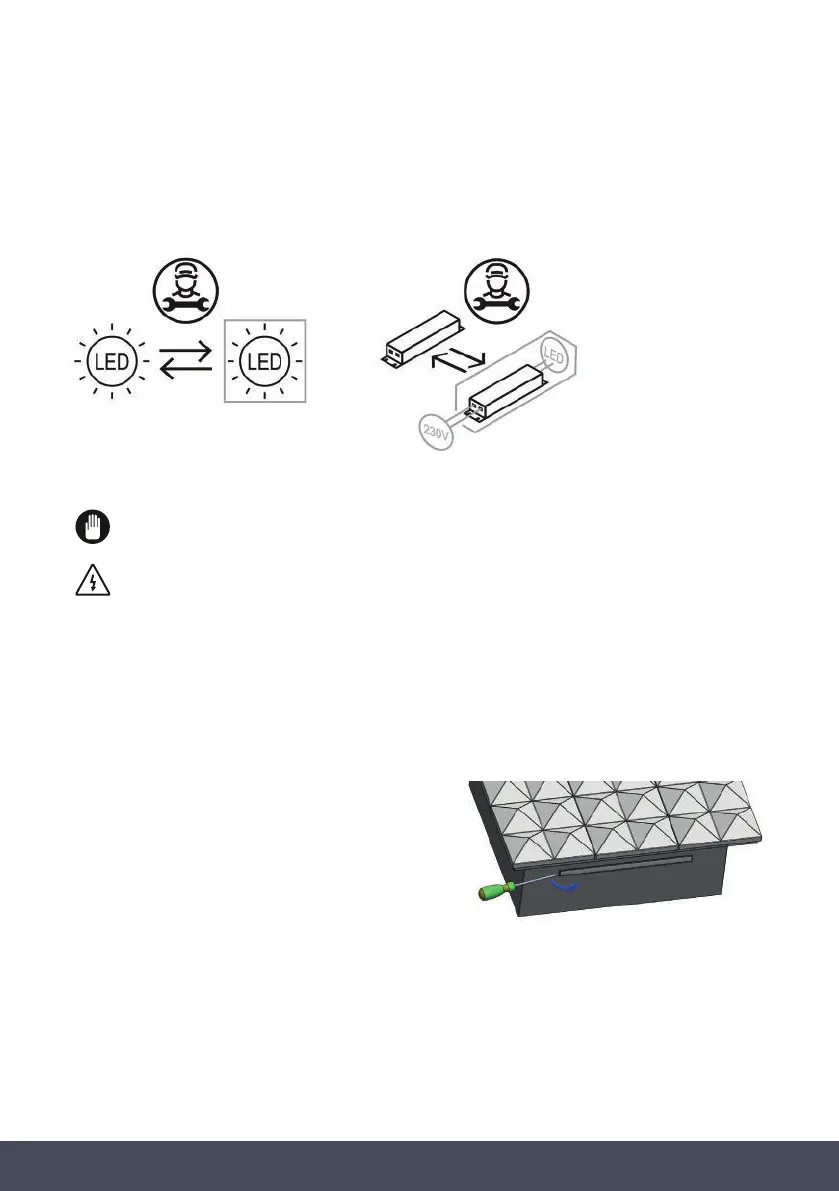
The LED light must be replaced by an authorised engineer or similar only. For more
information, please contact Caple service - 0117 938 7420 or service@caple.co.uk
Unplug the unit from the power supply before starting the process.
1. Carefully insert a at screw driver into the edge of the LED light.
2. Remove the LED light from its housing.
3. Disconnect the connector and change the LED light.
4. Implement the steps in reverse order.
5. After waiting 5 minutes, plug in the unit.
1. Carefully remove the 2 screws that secure the light.
2.Remove the LED light from its housing.
3.Disconnect the connector and change the LED light.
4.Implement the steps in reverse order.
5.After waiting 5 minutes, plug the unit.
,
Unplug the unit from the power supply before starting the process.
LIGHT SOURCE ENERGY CLASS
This product containsalightsourceofenergy efficiency class F.
LED strip
1. Carefully insert a flat screw driver into the edge of the cover and lift cover off.
2.Remove the LED light from its housing.
3.Disconnect the connector and change the LED light.
4.Implement the steps in reverse order.
5.After waiting 5 minutes, plug the unit.
,
Unplug the unit from the power supply before starting the process.
LIGHT SOURCE ENERGY CLASS
Thisproductcontains alightsourceofenergy efficiency class F.
1. Carefully insert a flat screw driver into the edge of the cover and lift cover off.
2.Remove the LED light from its housing.
3.Disconnect the connector and change the LED light.
4.Implement the steps in reverse order.
5.After waiting 5 minutes, plug the unit.
,
Unplug the unit from the power supply before starting the process.
LIGHT SOURCE ENERGY CLASS
Thisproductcontains alightsourceofenergy efficiency class F.
LED strip
1. Carefully remove the 2 screws that secure the light.
2.Remove the LED light from its housing.
3.Disconnect the connector and change the LED light.
4.Implement the steps in reverse order.
5.After waiting 5 minutes, plug the unit.
,
Unplug the unit from the power supply before starting the process.
LIGHT SOURCE ENERGY CLASS
This product containsalightsourceofenergy efficiency class F.
LED strip
Unplug the unit from the power supply before starting the process
LED light
4.
5.in
1. Carefully insert a flat screw driver into the edge of the cover and lift cover off.
2.Remove the LED light from its housing.
3.Disconnect the connector and change the LED light.
4.Implement the steps in reverse order.
5.After waiting 5 minutes, plug the unit.
,
Unplug the unit from the power supply before starting the process.
LIGHT SOURCE ENERGY CLASS
Thisproductcontains alightsourceofenergy efficiency class F.
1. Carefully insert a flat screw driver into the edge of the cover and lift cover off.
2.Remove the LED light from its housing.
3.Disconnect the connector and change the LED light.
4.Implement the steps in reverse order.
5.After waiting 5 minutes, plug the unit.
,
Unplug the unit from the power supply before starting the process.
LIGHT SOURCE ENERGY CLASS
Thisproductcontains alightsourceofenergy efficiency class F.
LED strip


 To Next Page
 Loading...