36 CaptionCall
Table of Contents
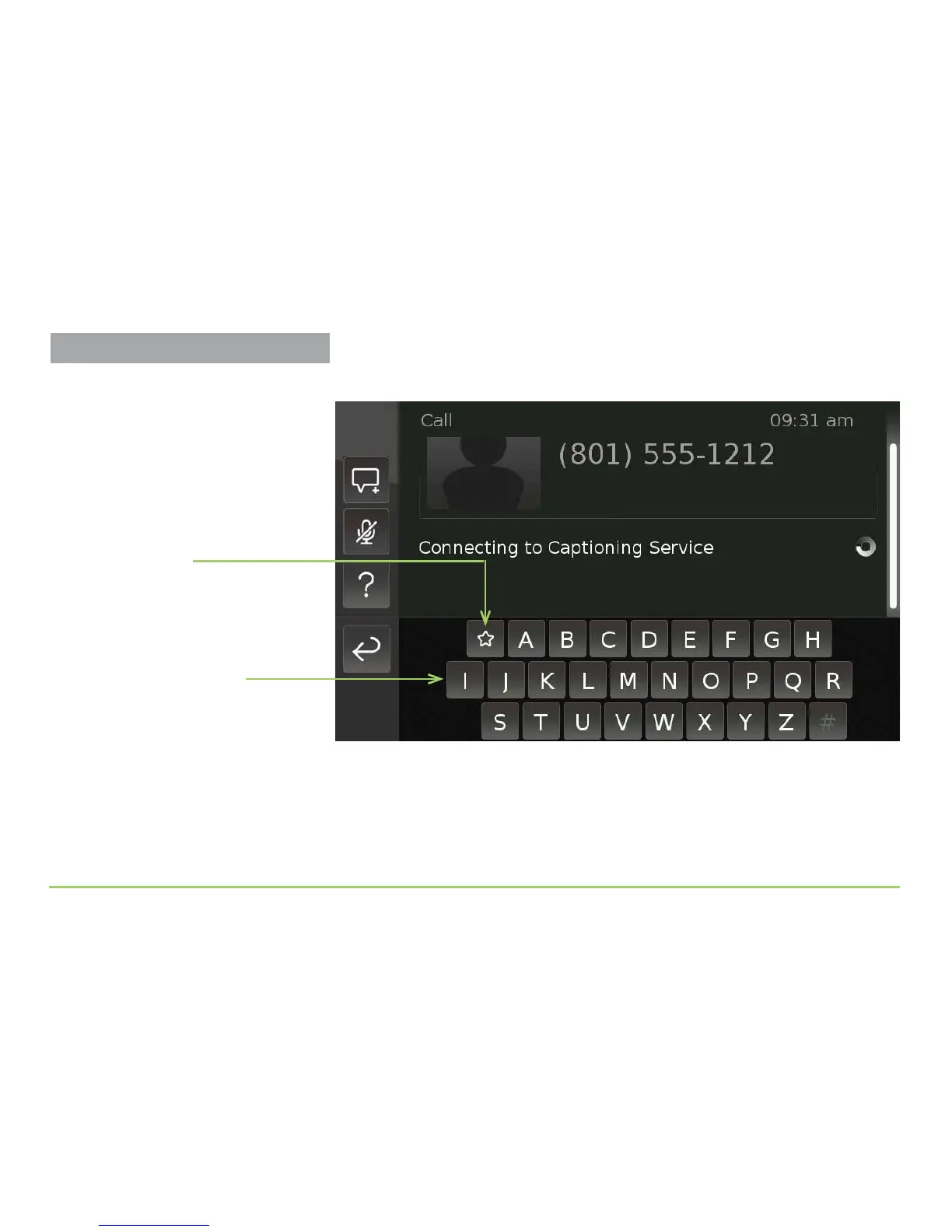
Touching the Contacts button will reveal a keyboard as shown below.
e keyboard is used to select the alphabetical group of contacts that you
want to see. For example, if you wanted to see a list of your contacts that
start with the letter “A,” you would touch the A button on the keyboard.
Step 3: Touch the letter for the group of contacts you want to see.
Keyboard for selecting a group
of contacts to view
Button to see the Favorite
Contacts list
Using the In-Call Menu



 To Next Page