Version 15.03.2023 CAM(V100)/ (EF2L145/V20)+(100)/(V20) CI-RL4-NG4-HU
2.7.1. Audio insertion
This interface is only able to insert video signals into the factory infotainment. If an AV-
source is connected, the audio insertion has to be done by the factory audio AUX input or an
FM-modulator. The inserted video-signal can be activated simultaneously to each audio-
mode of the factory infotainment. If 2 AV sources shall be connected to the infotainment,
additional electronic is necessary to switch the audio signals.
2.7.2. After-market front camera
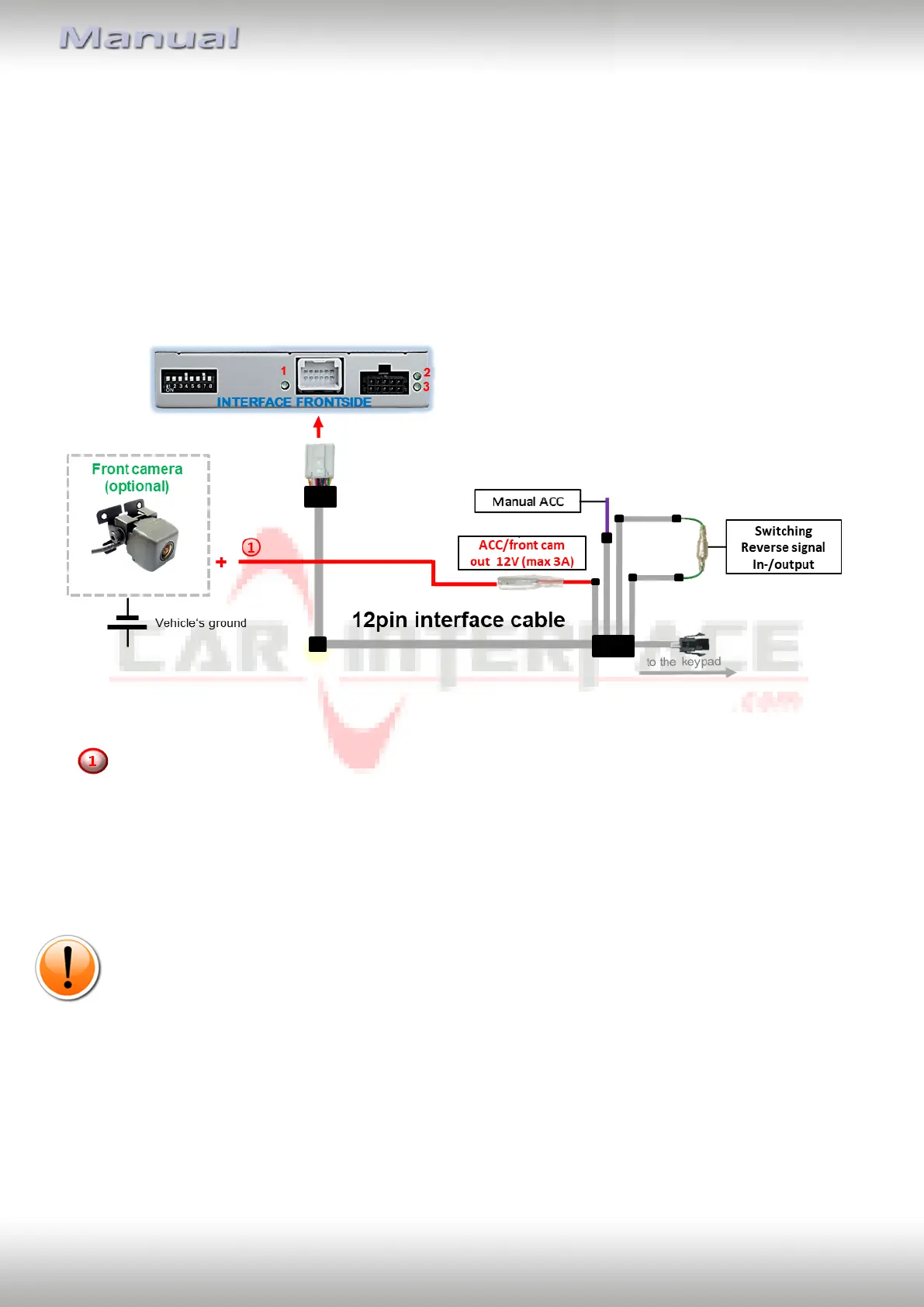
The red power supply output ACC/front cam out 12V (max 3A) can be used to power a front
camera. If Dip 1 is set to ON (black 8 dips), the power supply output gives +12V (max 3A)
when reverse gear is engaged plus 10 seconds delay after reverse gear is disengaged.
Note: In addition, a manual switch-over to the front camera input is possible via keypad
(short press) from any image mode. The power supply output gives +12V then, as well (if Dip
1 is set to ON and the front camera input is selected).
Futher, it is possible to deactivate the automatic switch-back to the front camera via dip6, so
that the front camera switch can only be activated via the external keypad. If automatic
switch-back is not desired, set dip switch 6 to OFF.
Attention: A long press of the external keypad push button will switch the interface to the
next source.


 To Next Page