Version 15.03.2023 CAM(V100)/ (EF2L145/V20)+(100)/(V20) CI-RL4-NG4-HU
3. Interface operation
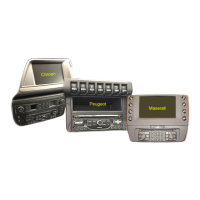
3.1. By factory-infotainment-buttons in Citroen C5 and Peugeot 508 vehicles
Some of the factory-infotainment-buttons in Citroen C5 and Peugeot 508 vehicles can be
used to execute interface functions.
Long press LIST-button (for Citroen C5 vehicles)/ TRAF-button (for Peugeot 508 vehicles) to
switch the video source. Each repetition will switch to the next enabled input. If all inputs
are enabled the order is:
Factory video
RGB-in
video IN1
video IN2
factory video
…
Inputs which are not enabled are skipped. If the audio cable is connected, when switching
from video IN1 to video IN2, also the sound will be switched.
Note: Switching the video sources by factory infotainment buttons does not succeed in all
vehicles! In that case the external keypad hast o be used!
3.2. By keypad
Long press of keypad (2-3 seconds)
By long pressing the external keypad (2-3 seconds), the video interfaces witches the input
from the factory video to the inserted video sources.
Each press (approx. 2 sec) will switch to the next enabled input. If all inputs are enabled the
order is:
Factory video
video IN1
video IN2
factory video
…
Disabled inputs will be skipped.
Note: The interface switches after releasing the switch (after long pressure).
Short press of keypad (only if DIP 1 is set to ON)
By short pressing the external keypad, the video interfaces switches from the factory video
to the front camera input and back to factory video.


 To Next Page