Version 15.03.2023 CAM(V100)/ (EF2L145/V20)+(100)/(V20) CI-RL4-NG4-HU
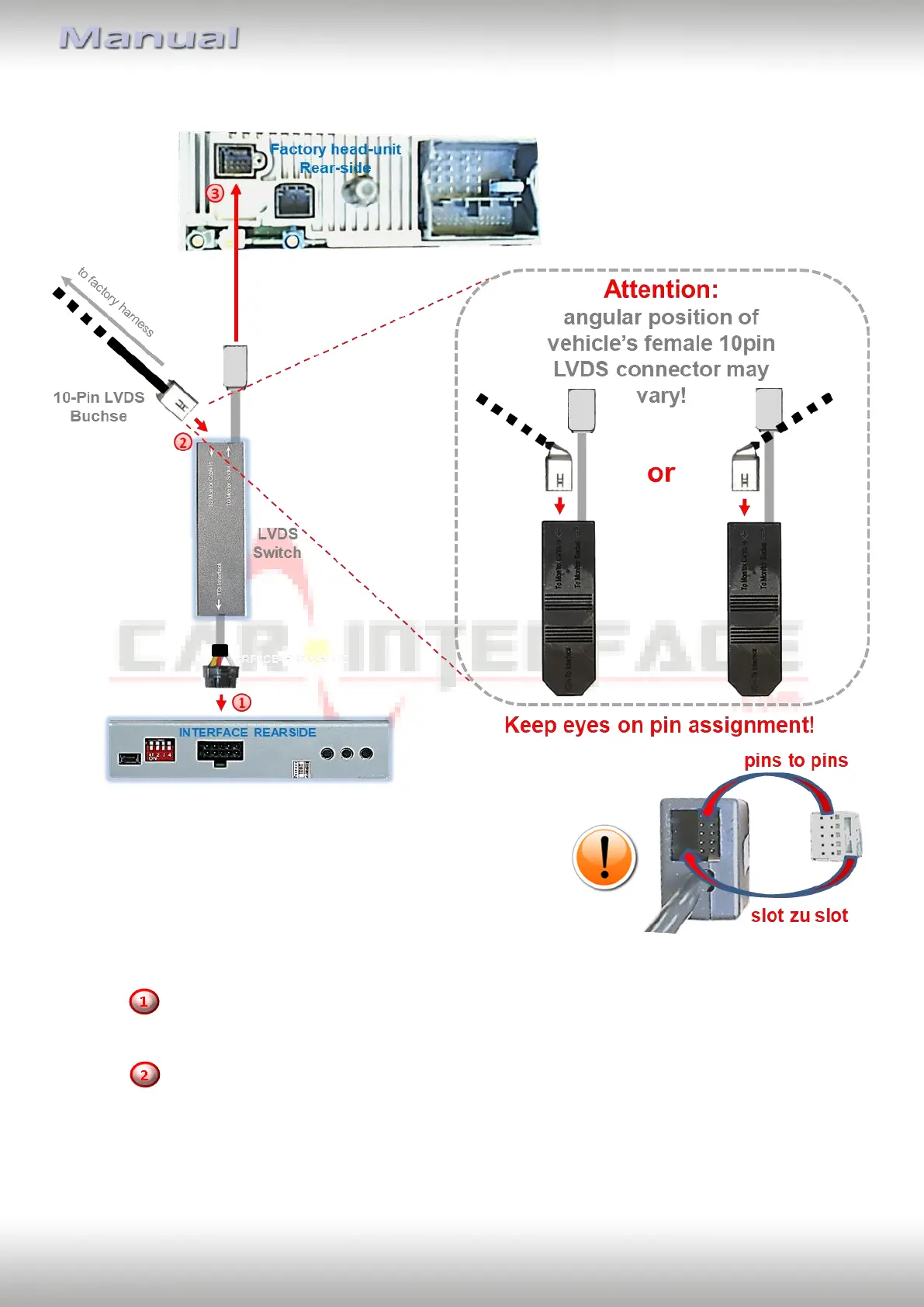
2.3. Connection – LVDS switch
Connect the female 10pin connector “To interface” of the LVDS switch to the video
interface’s male 10pin connector.
Disconnect the female 10pin connector of the factory harness at the rear-side of the
head unit and connect it to the male 10pin connector “Monitor Cable In” of the LVDS
switch (Pay attention to correct pin arrangement).
Connect the female 10pin connector oft he LVDS switch tot he previously become free
male 10pin connector oft he head unit


 To Next Page