70-01124-02 C
5
AED Training Device Overview
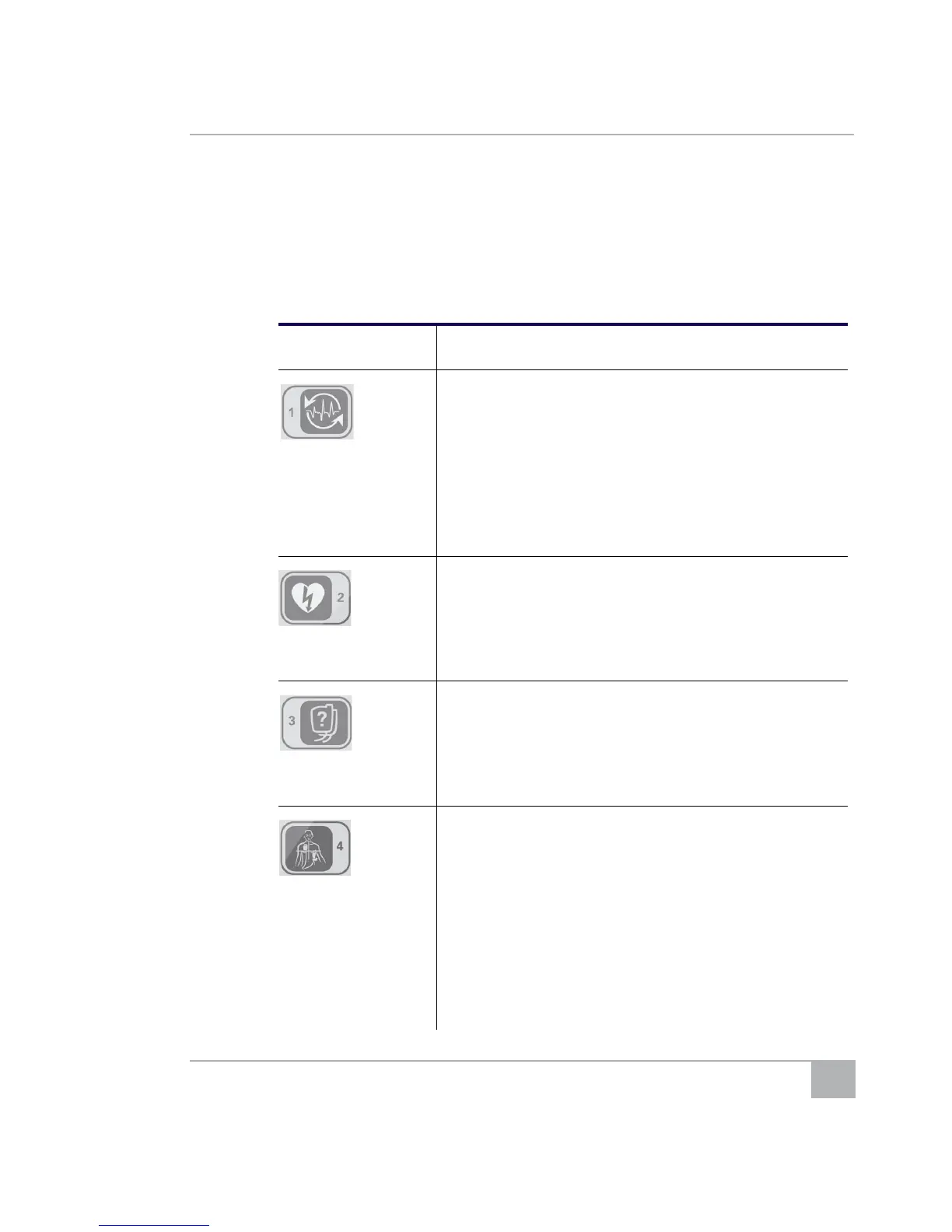
AED Training Device Remote Control Functions
The remote control has the following functions:
Table 1: AED Training Device Remote Buttons
Button Use
1:
• Shock cancelled
• Press while the trainer prompts, “Shock Advised” to
change the prompt to, “Rhythm changed. Shock
cancelled.”
• Press during Place Pads prompts to forward to the
Analysis prompts. The next sequence (Shock or CPR)
is determined by the selected scenario.
• Press during a CPR sequence to forward to the
Analysis prompts, followed by another CPR sequence.
2:
• Shock advised
• Press during Place Pads prompts to forward to the
Analysis prompts. The next sequence (Shock or CPR)
is determined by the selected scenario.
• Press during a CPR sequence to forward to the
Analysis prompts followed by a Shock sequence.
3:
• Check pads
• Press during analysis to prompt, “Press pads firmly to
patient’s bare chest.”
• Press again to continue the scenario.
4:
• Place pads
After the prompt, “Remove white square package from lid
o
f AED,” press to prompt:
• “Peel one of the white pads completely from blue
plastic”
• “Firmly place the pad on the patient”
• “Next, peel second white pad from the blue plastic”
• “Firmly place the second pad on other location.”
Note: Press to advance through the prompts more
quickly.



 To Next Page