70-01124-02 C
6
Powerheart® G5 AED Training Device User’s Guide
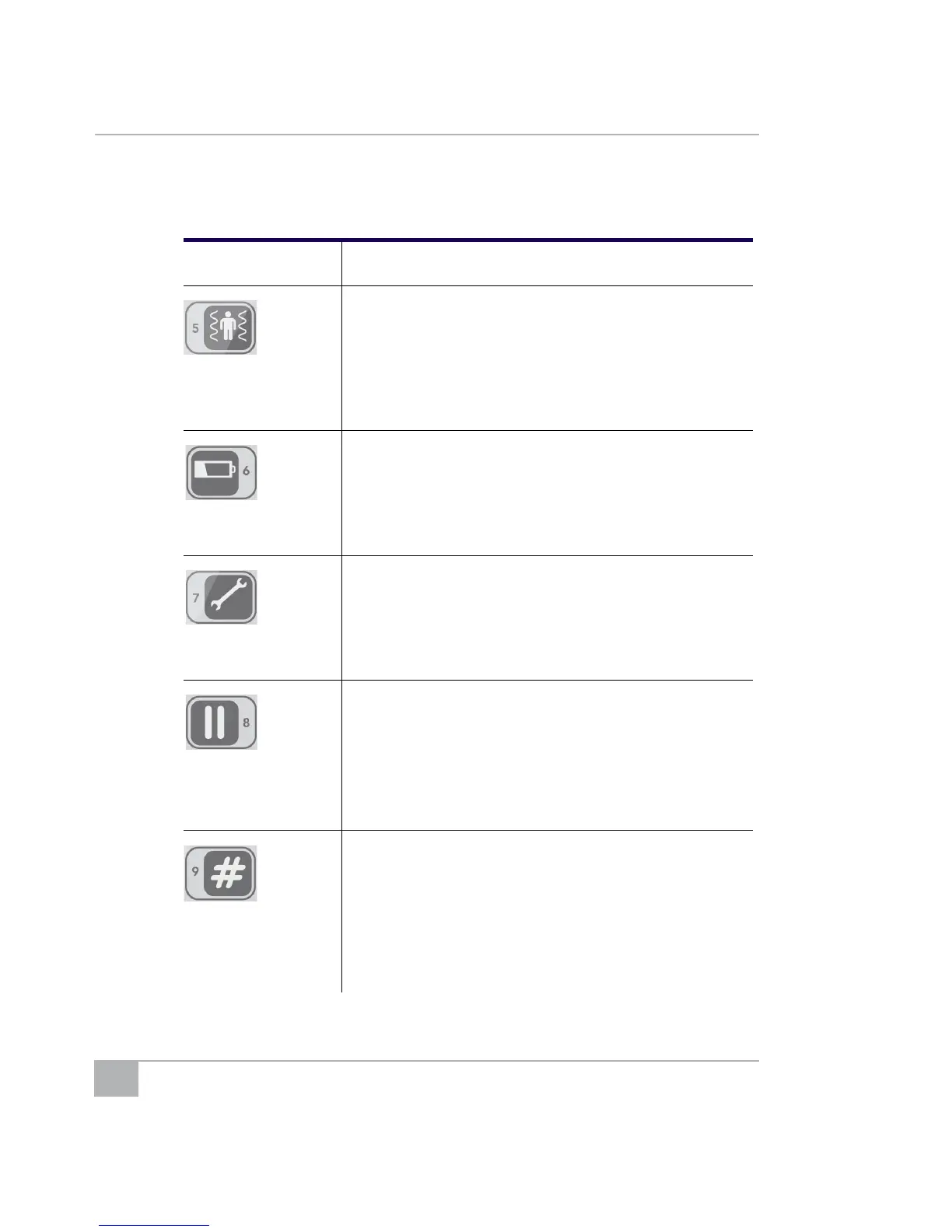
5:
• Analysis
interrupted
• Press during Analysis prompts to prompt, “Analysis
interrupted. Stop patient motion.”
• Press again to continue.
6:
• Battery low
• Press during a rescue scenario to prompt, “Battery low”
(the battery LEDs will also show low battery).
• Press again to turn off the low battery LED and turn on
two green battery LEDs.
7:
• Service required
• Press to prompt, “Service required.”
• Press again to continue.
8:
• Pause
• Resume
• Press at any time to pause (the AED Training Device
beeps while paused).
• Press again to continue.
Note: If the device is already in Pause mode because a
scenario sequence finished, the AED Training
Device restarts.
9:
• Change scenario
• Change volume
• Press # then 1 to start Scenario 1.
• Press # then 2 to start Scenario 2.
• Press # then 3 to start Scenario 3.
• Press # then 4 to start Scenario 4.
• Press # then 7 to decrease volume.
• Press # then 8 to increase volume.
Table 1: AED Training Device Remote Buttons (continued)
Button Use



 To Next Page