6. TROUBLESHOOTING
6.1 SOFT RESET
If your PACKTALK NEO stops responding, reset it in one of these ways:
● Turning it off and then on again (see Switching Your Unit On/Off).
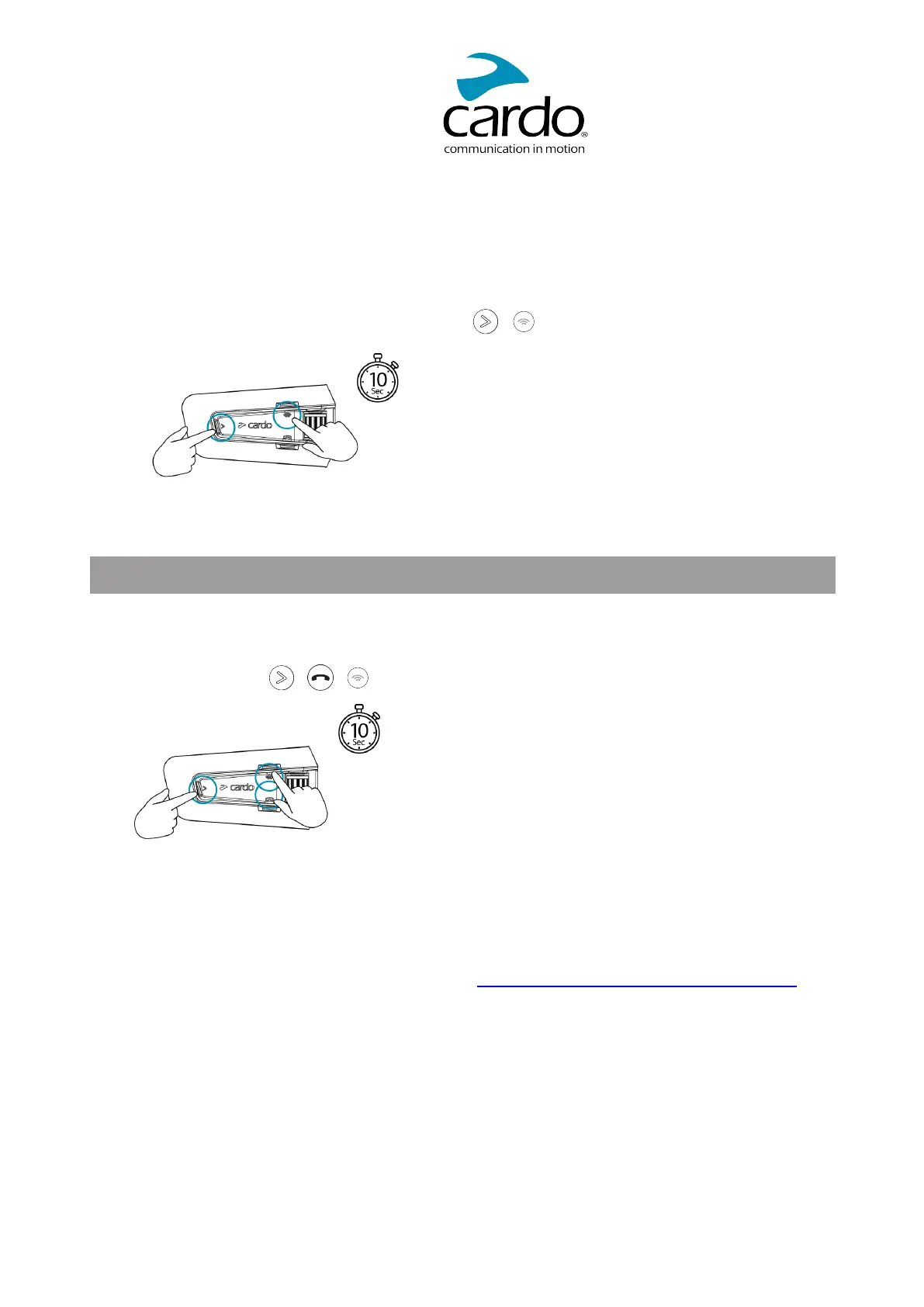
● Rebooting the unit, by simultaneously pressing + for 10 seconds.
6.2 RESET TO FACTORY SETTINGS
This option deletes all paired units, devices and all configuration settings.
To perform a factory reset through the unit:
1. Check that your PACKTALK NEO is in Standby mode.
2. Simultaneously press + + 10 seconds.
The LED flashes red 5 times.
3. A factory reset can also be performed with the Cardo Connect App.
6.3 FAQ
Additional answers to common problems can be found at www.cardosystems.com/support/packtalk-neo/
27



 To Next Page
 Loading...