2.3 SWITCHING YOUR UNIT ON/OFF
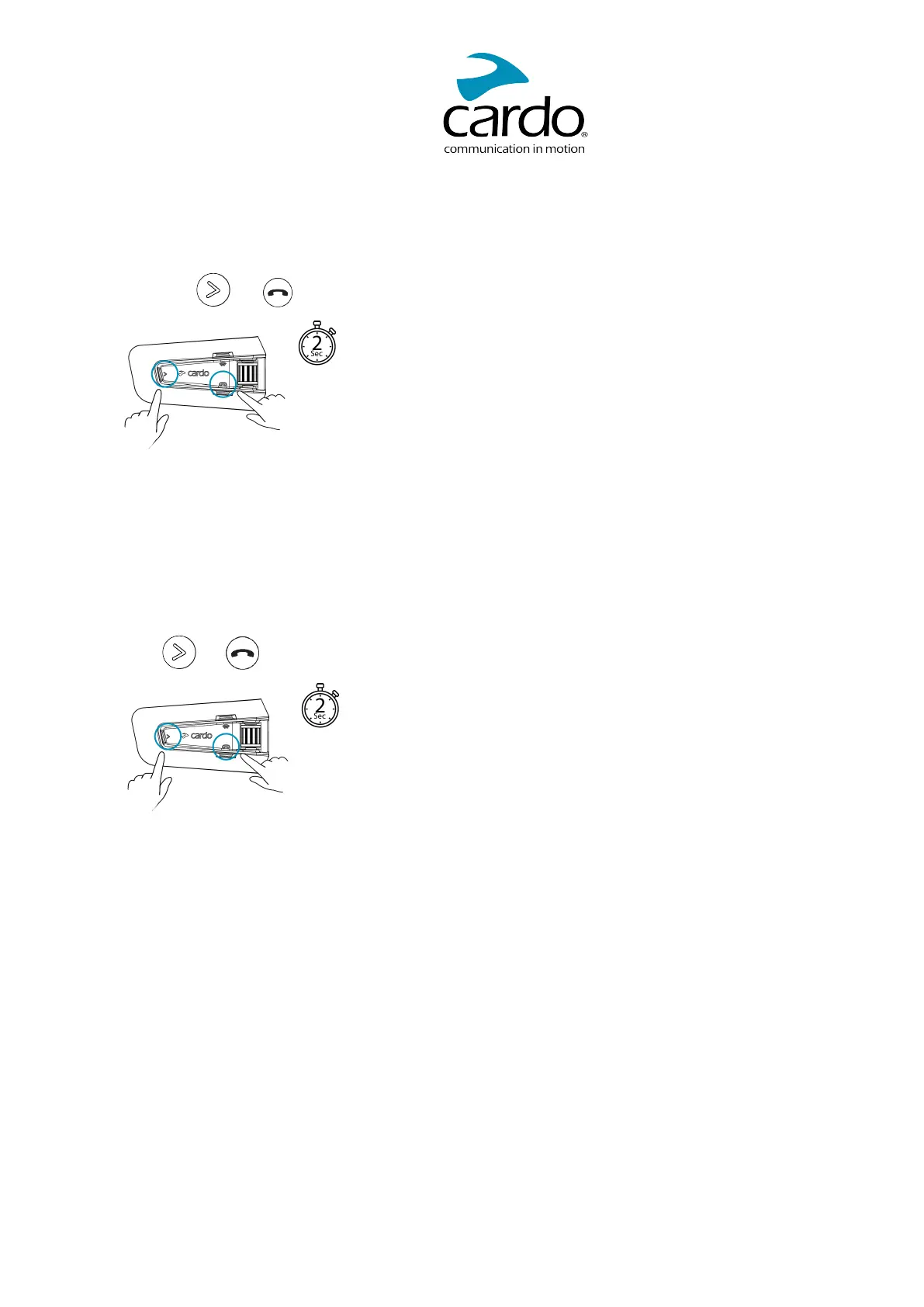
To switch your PACKTALK NEOon:
● Press both and for 2 seconds.
The speaker plays a startup sound.
The LED confirms your PACKTALK NEO is on:
● Normal battery — LED flashes blue once, then green
● Low battery — LED flashes blue three times, then green
● Charging — LED flashes red and green
To switch your PACKTALK NEO off:
● Press and for 2 seconds.
The LED flashes red three times, confirming that your unit is switching off. The speaker plays a sound and
a voice message indicates the battery status, "Battery Status X%, ".
2.4 USING YOUR PACKTALK NEO
You can operate the various features of your PACKTALK NEO in the following ways:
● Press a button or a combination of buttons on the unit
● Use the Cardo Connect App on your mobile device (once it is paired with the unit)
● Use natural voice operation (by saying a command, for example "Hey Cardo, Radio On"
2.5 PAIRING YOUR UNIT TO BLUETOOTH DEVICES
Your PACKTALK NEO has two Bluetooth channels for connection to Bluetooth devices such as mobile
phones, GPS devices, and TFTBike Infotainment.
To connect your unit to a Bluetooth device, you must first pair them. Once paired, they automatically recognize
each other whenever they are within range.
5


 To Next Page
 Loading...