Installation, Operating & Maintenance Manual
7
1.2 Mounting
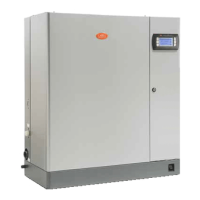
1.2.1 Removing the front cover
The front cover is secured by a capture screw located underneath the CAREL
logo. Twist the CAREL logo to reveal the screw, and use a phillips head
screwdriver to remove it. Then simply lift the front cover and pull out to remove
it. Return it in reverse order.
1.2.2 Fastening to the wall
Using the screws and anchors supplied, fasten the mounting bracket to the wall.
Be sure that the screws anchor firmly into studs or supports. Note the unit
installed weights from the Positioning section.
Once the mounting bracket is secured to the wall, hang the unit on the bracket. Fasten the remaining capture
screws through the bottom holes in the unit to secure it to the wall.
Model UE
001-008 009-015 025-045
065
X
8.67 8.67 12.21 15.75
Y
19.69 23.23 28.55 30.91
Z
4.53 1.5
Z’
4.41


 To Next Page
 Loading...