PadScan HD 2
Caresono Technology Co., Ltd 14
Chapter Four Installation
4.1 Unpacking inspection
After unpacking, first affirm that there is no shipping damage, then check the device according to
"Packing List" and install it according to the requirements and methods described in "4.2".
4.2 Installation
4.2.1 Battery installation and removal
Battery installation:
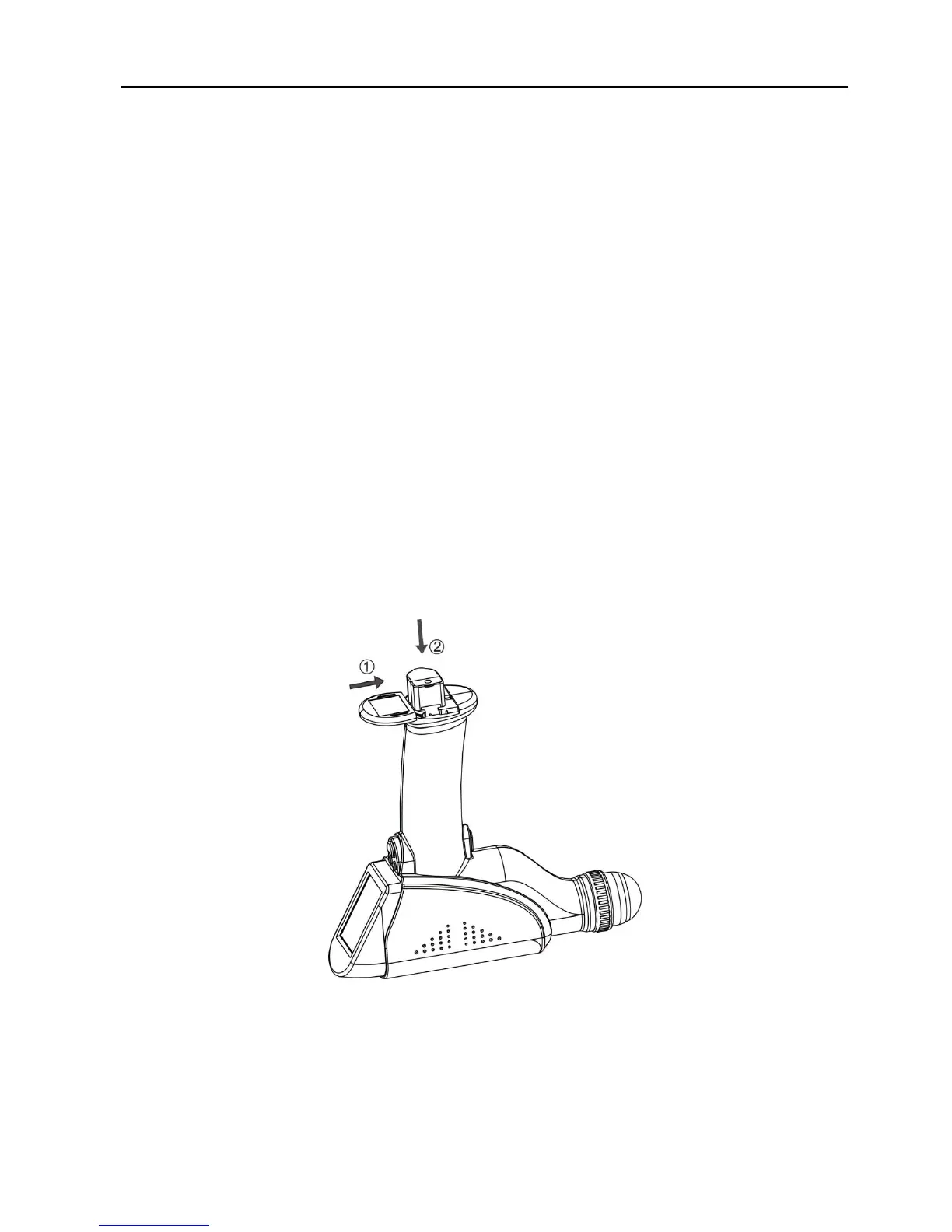
● Slide the cover plate of the battery according to the reverse direction of arrow.
● Insert the battery into the battery slot according to the direction of arrow.
● Push the cover plate of battery according to the direction of arrow.
Shown as figure 4-1
Figure 4-1 PadScan HD 2 battery installation diagram
Battery removal:
● Slide the cover plate of battery according to the direction of arrow.
● Take out the battery from the battery slot according to the direction of arrow


 To Next Page