Appendix
A–36 AJ4309 | 2019-08-13
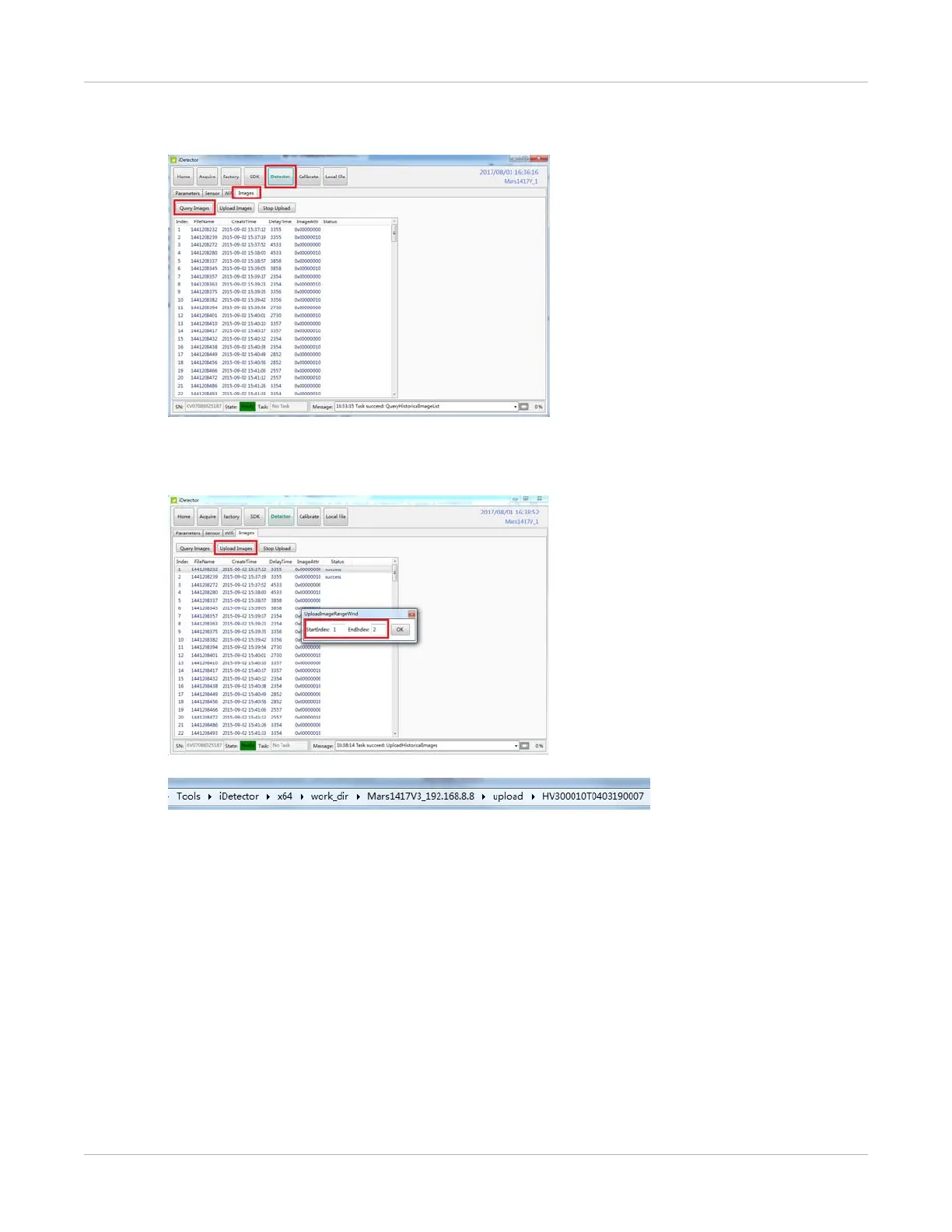
2. Select Query Images.
The images stored on the detector will be listed.
3. Select Upload Images and choose the specified image. Select OK.
When the state changes to Success, the image has been uploaded.
The upload process can be canceled by selecting Stop Upload.
The uploaded images are saved in the path of the detector serial number.


 To Next Page