Appendix
AJ4309 | 2019-08-13 A–29
Correction and Calibration Template Generation
The correction and calibration should be performed after installation and it is
recommended to perform the new correction and calibration after any major change to
the system settings and hardware configuration. It is also recommended to do the
correction and calibration every 6 months.
Pre-offset Template Generation
If panel is configured to do Pre-offset correction, Pre-offset Template is necessary.
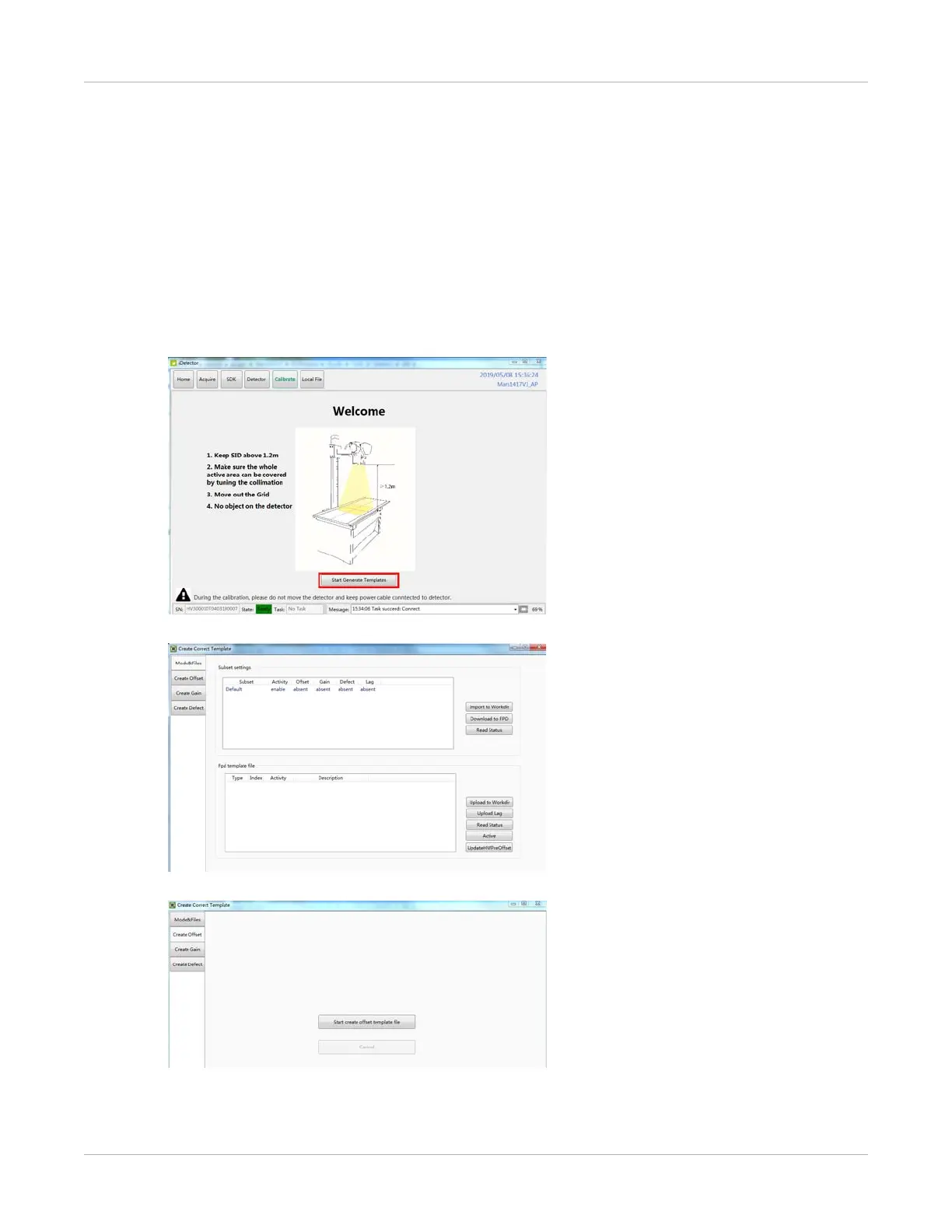
1. Select Calibrate.
2. Select Start Generate Templates.
3. Select Create Offset.


 To Next Page