Appendix
A–26 AJ4309 | 2019-08-13
Configure the Detector
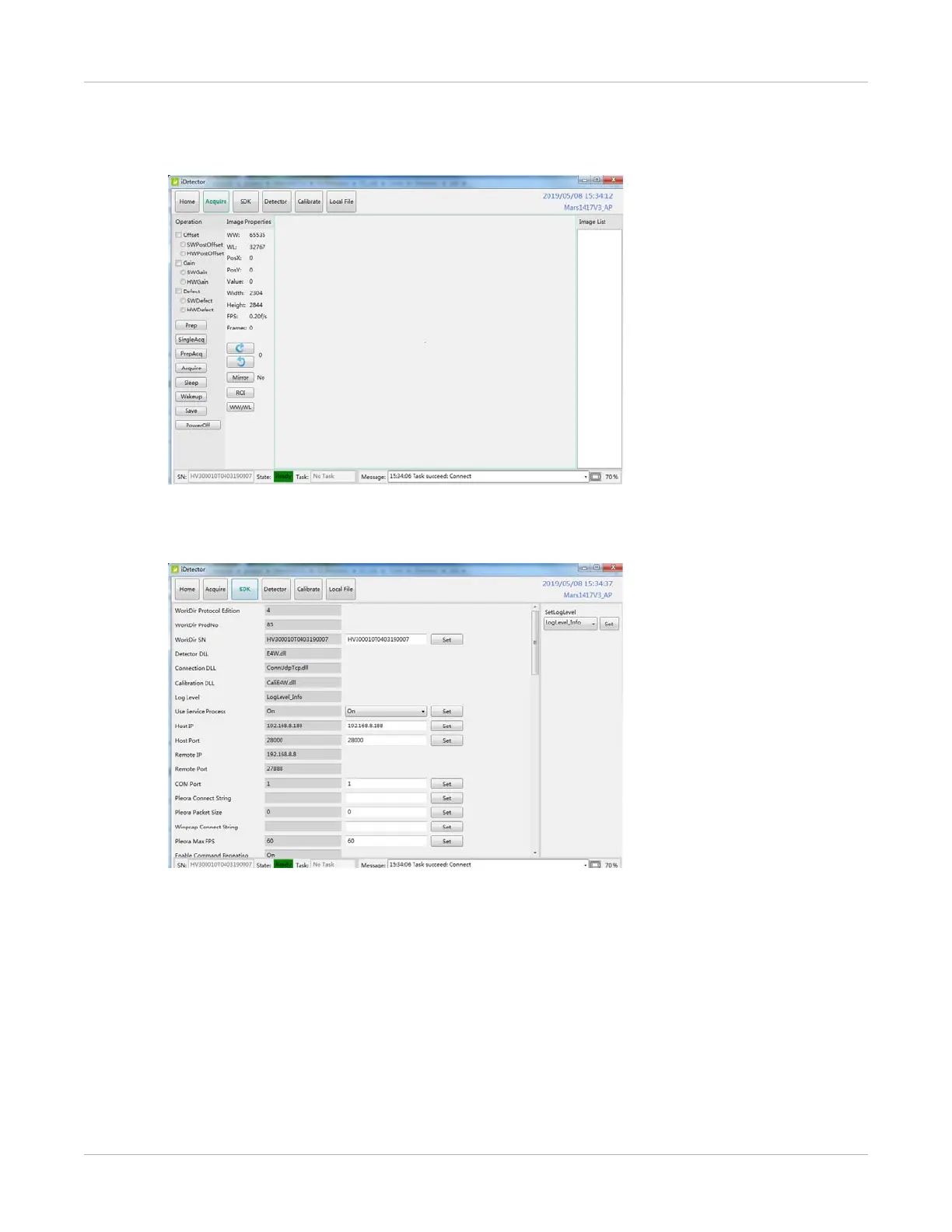
1. From the iDetector menu, select the Acquire tab.
2. Acquire the module related setting, such as loading correction and calibration
template, acquiring images.
3. See the SDK module-related settings, such as IP address.


 To Next Page