Appendix
AJ4309 | 2019-08-13 A–45
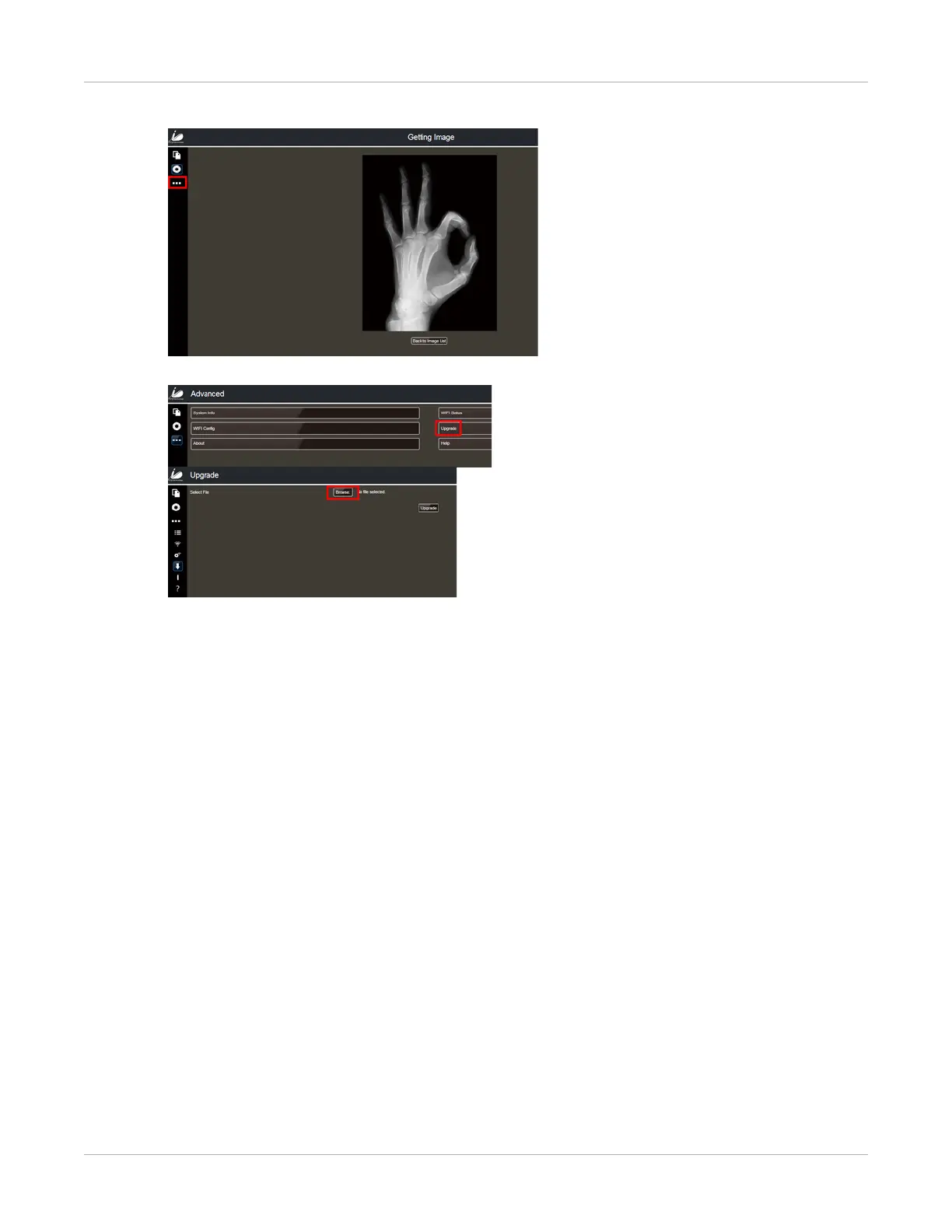
4. Click on the three squares located on the left side of the screen.
5. Select Upgrade and then Browse.
6. Select one the firmware files from the list and select Open.
• MARS141V3TIS_IMAGE_MCU_xxxx_xx_15.ifm
• MARS141V3TIS_IMAGE_FPGA_xxxx_xx_15.ifm
• MARS141V3TIS_IMAGE_ARM_xxxx_xx_15.ifm


 To Next Page