Appendix
AJ4309 | 2019-08-13 A–15
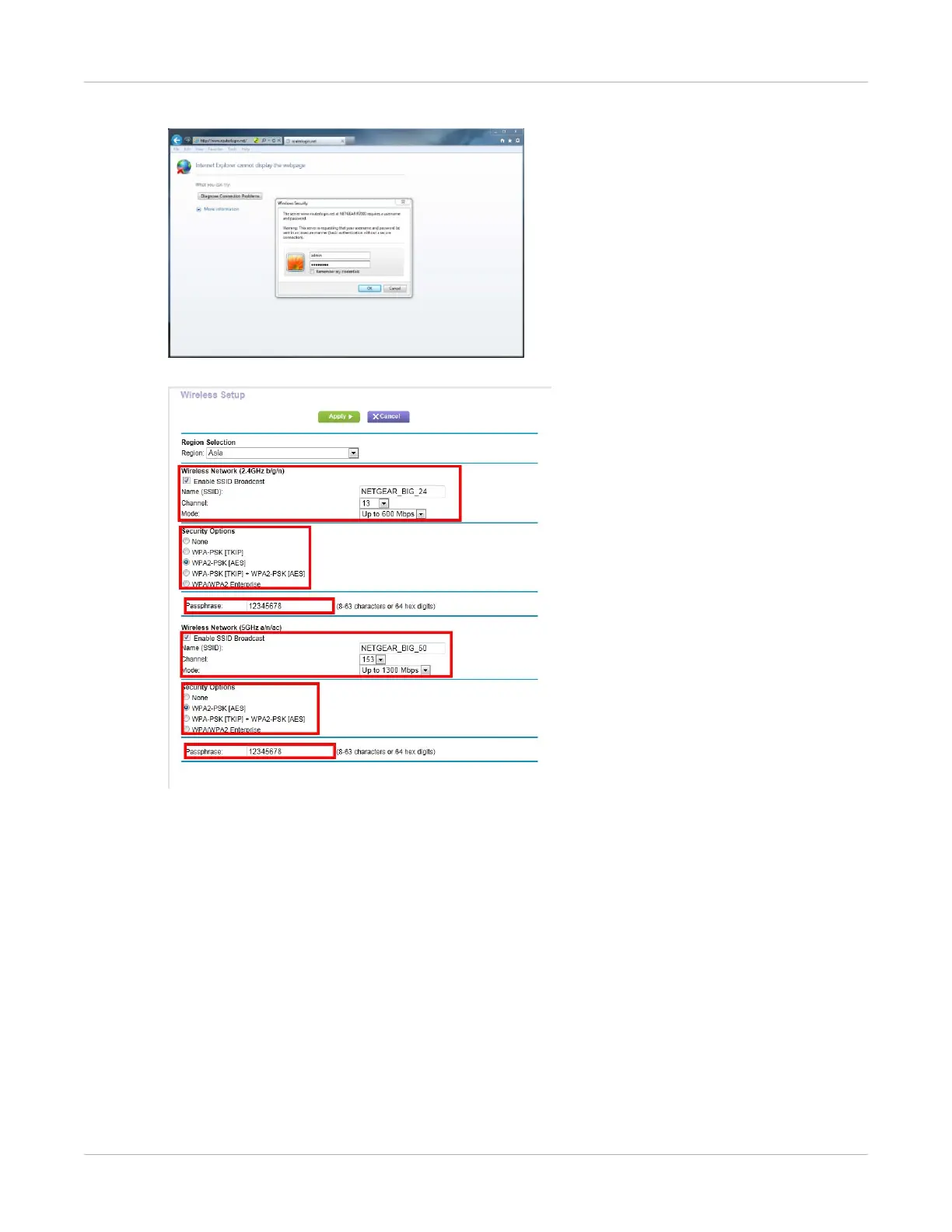
7. Open the browser and type 192.168.1.1 and log into external wireless AP.
8. Do the wireless setup.
9. Configure 2.4 GHz wireless network.
• SSID: NETGEAR_BIG_24
• Security: WPA2-PSK
• Password: 12345678
• Channel: Check the current Wi-Fi environment, and choose a relatively clean
channel.
10. Configure 5G Hz wireless network.
• SSID: NETGEAR_BIG_50
• Security: WPA2-PSK
• Password: 12345678
• Channel: Check the current Wi-Fi environment, and choose a relatively clean
channel.


 To Next Page