Appendix
A–18 AJ4309 | 2019-08-13
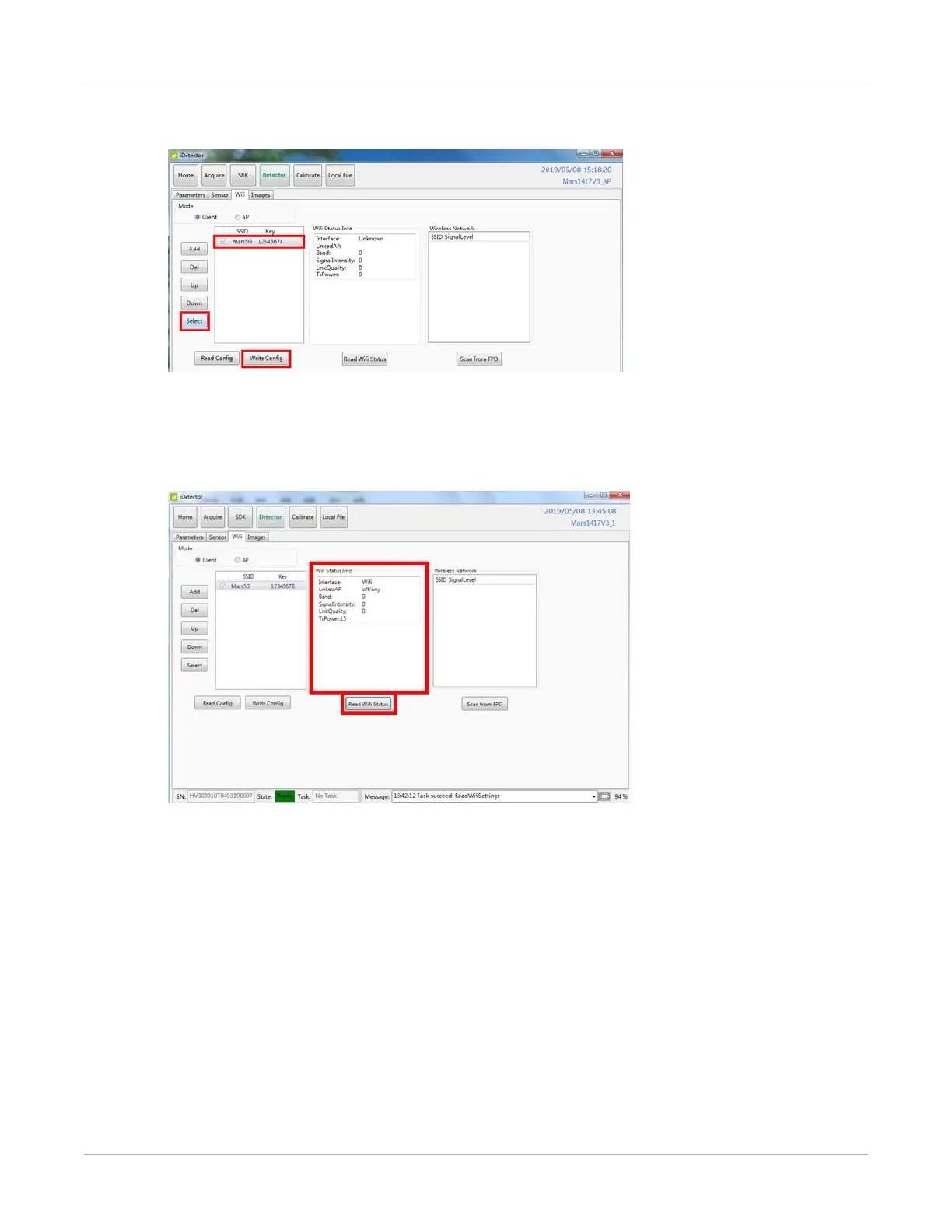
17. Choose SSID and select the one with a check mark. Select Write Config to save the
parameters.
18. Turn on the wireless router.
a. Make sure there is a wired connection between the outer, work station, and IP
192.168.8.188.
b. Select Read Wifi Status to check wireless transmission status, numerical value
occurred means the link is up and available.
The detector will connect to the wireless AP the next time it is powered on.


 To Next Page