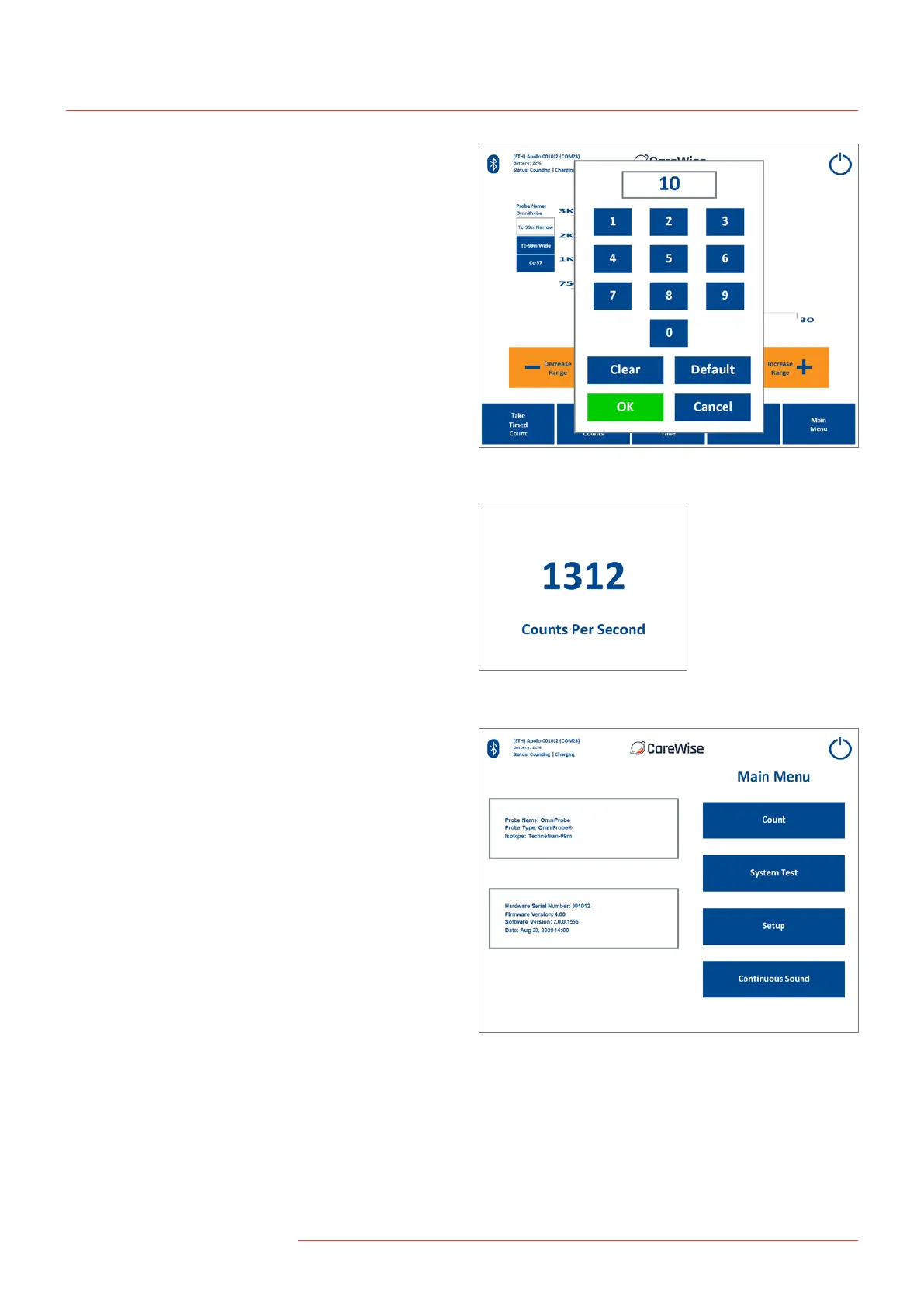
2.4-4 Change Count Time Screen
On the Change Count Time Screen [Figure 9], a user can set the
duration of timed counts. The default is 10 seconds. The default
can be restored quickly by pressing the “Default” button.
The duration for timed counts can range from
1 second to 999 seconds.
2.4-5 Big Counts Screen
On the Big Count Screen [Figure 10], a user can receive enlarged
numerical feedback about the amount of radiation the probe is
detecting. To show the Big Counts Screen, press the numerical
measured count rate value on the Main Count Screen. To exit
from the Big Counts Screen, press any area on the screen.
2.4-6 Main Menu
‘The Main Menu [Figure 11], allows the user to navigate to the
Count Screen (described in 2.4-1), System Test Screen (described in
2.4-7), and Setup Screen (described in 2.4-8), and also allows the
user to change the audible count rate sound type and turn o the
C-Trak
®
Apollo System’s power using the “Shutdown” power icon,
(described in 2.4-13).
Figure 9 – Change Count Time Screen
Figure 10 – Big Counts Screen
Figure 11 – Main Menu Screen
12
|
www.carewise.com
C-Trak Apollo


 To Next Page