2.4-7 System Test Screen
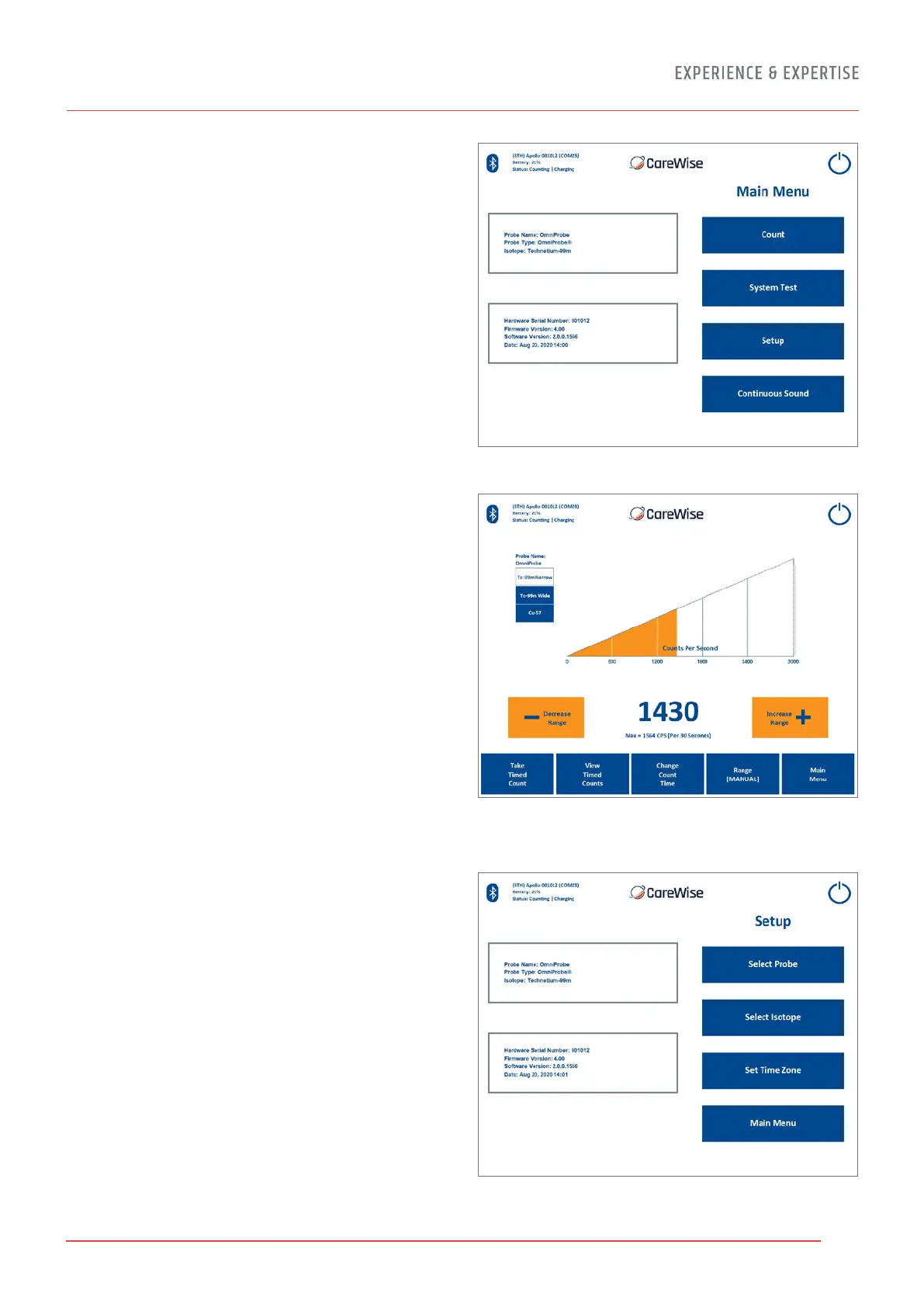
On the System Test Screen [Figure 12], reached from the Main
Menu [Figure 11], a user can calibrate and test all functionality
of the Apollo system. When a user presses SYSTEM TEST, the
Apollo system will both calibrate and test the system.
IT IS ESSENTIAL THAT THE CORRECT PROBE BE SELECTED FOR
THIS PROCESS. If the wrong probe is selected, the system test
data will be inaccurate, because they will pertain to the wrong
probe. The probe must be inserted into a fresh (within 2 years
for Co-57; within 5 years for Na-22) check source and held
still to perform the test.
The C-Trak
®
Apollo system creates a database and stores
calibration data for each probe used. For a first-time calibration,
or to change to a dierent probe, select the probe to be used
through the SELECT PROBE button, as described in 2.4-9.
When a system test is performed, the C-Trak
®
Apollo system
compares the current performance of the selected probe with
the saved results of previous performances, to see if any
undesirable changes have occurred. A warning message
will appear if there are any issues with the probe or analyzer.
If a particular OmniProbe and Apollo Handset (where the latter
is being used) has not undergone a System Test for a period of
30 days, an indication will appear in the Main Counts screen
(Figure 12a). A System Test should be performed as soon as
possible if this notification appears. Once the System Test
has been performed, the notification will disappear.
See Appendix C for Error Messages.
2.4-8 Setup Screen
The Setup Screen [Figure 13], allows the user to navigate to
various screens used to set up or customize the C-Trak
®
Apollo
system. Users can navigate from here to the Select Probe,
Select Isotope, Set Time Zone, and Main Menu Screens.
The Setup Screen also displays important information about
the hardware, firmware, and software serial numbers and
version numbers, as well as information about the probe
and isotope currently selected.
Figure 12 – System Test Screen
Figure 13 – Setup Screen
Figure 12a – System Test Expiry warning
message in Main Counts Screen.
13


 To Next Page