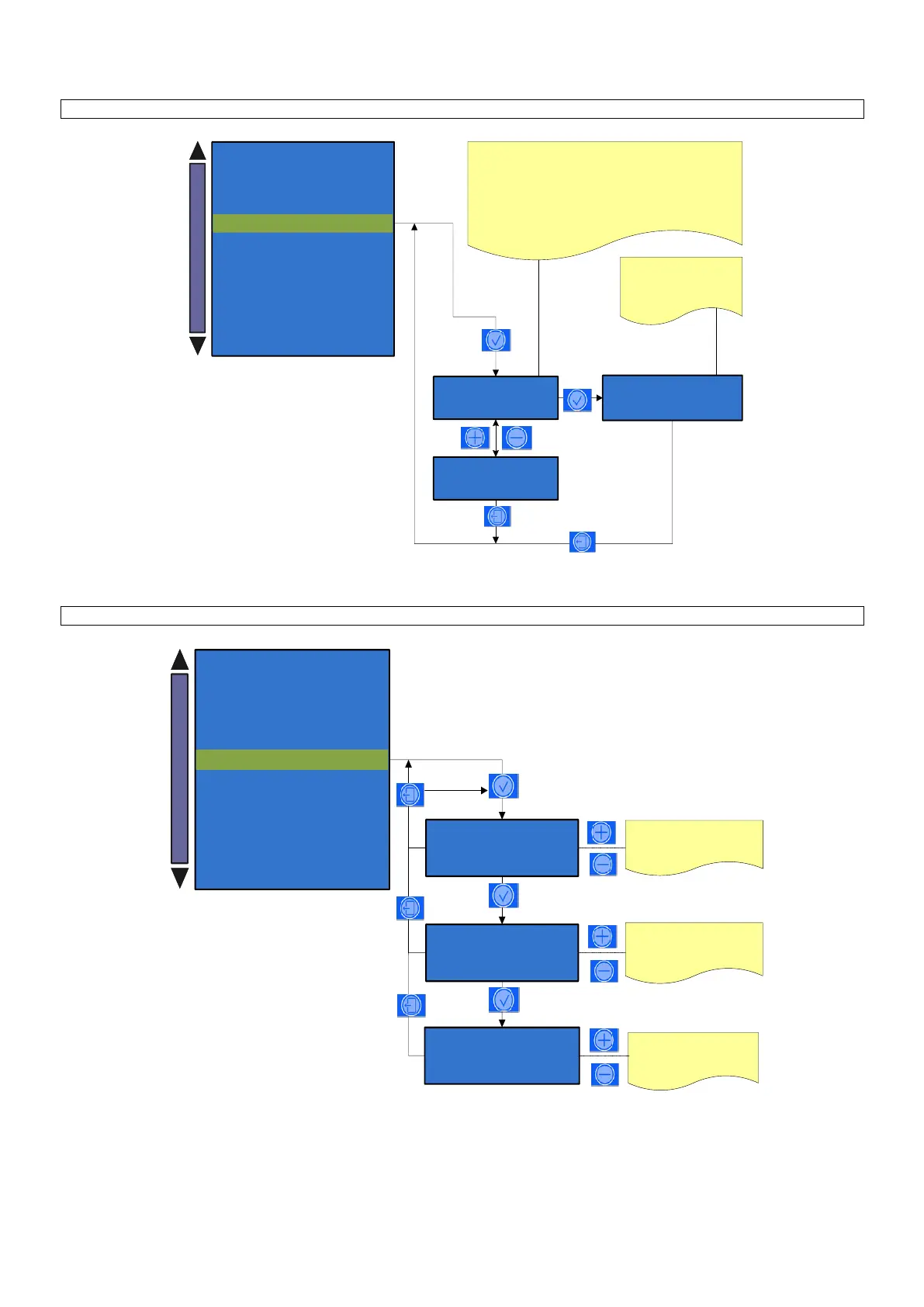
Alarm history
1 X – JJ YYYYY Z
YY-MM-DD HH:MM
Alarm history
1 X – JJ YYYYY Z
YY-MM-DD HH:MM
1 - 10: is the sequence number of the alarm
X: repetition number
JJ: is the code of the alarm
YYYYY: is the description of the alarm
Z: is the number of times the alarm occurred in a row ( 2 - 255 )
YY-MM-DD: Indicates the date of the alarm .
HH:MM: Indicates the clock of the alarm
: indicates that the alarm
has already been inspected
by technician
Alarm history
10 X – JJ YYYYY Z
YY-MM-DD HH:MM
System manager
- System clock programming
- Service
- Display regulation
- Machine parameters
- Change password
- Test actuactors
- Boiler draining
- Machine configuration
- Preset configuration data
Alarm history
System manager
- System clock programming
- Service
- Alarm history
- Machine parameters
- Change password
- Test actuactors
- Boiler draining
- Machine configuration
- Preset configuration data
Display regulation
Press the key (+) and (-) to
adjust the display contrast.
Contrast
XX
Color profile
X
Press the key (+) and (-) to
change the display color
X: 0 to 3
Led colors can be modified
by RGB parameters from 0
to 100.
Led color
RED GREEN BLUE
10 10 10












 To Next Page