LB.05099.02 Pag. 40 18/10/16
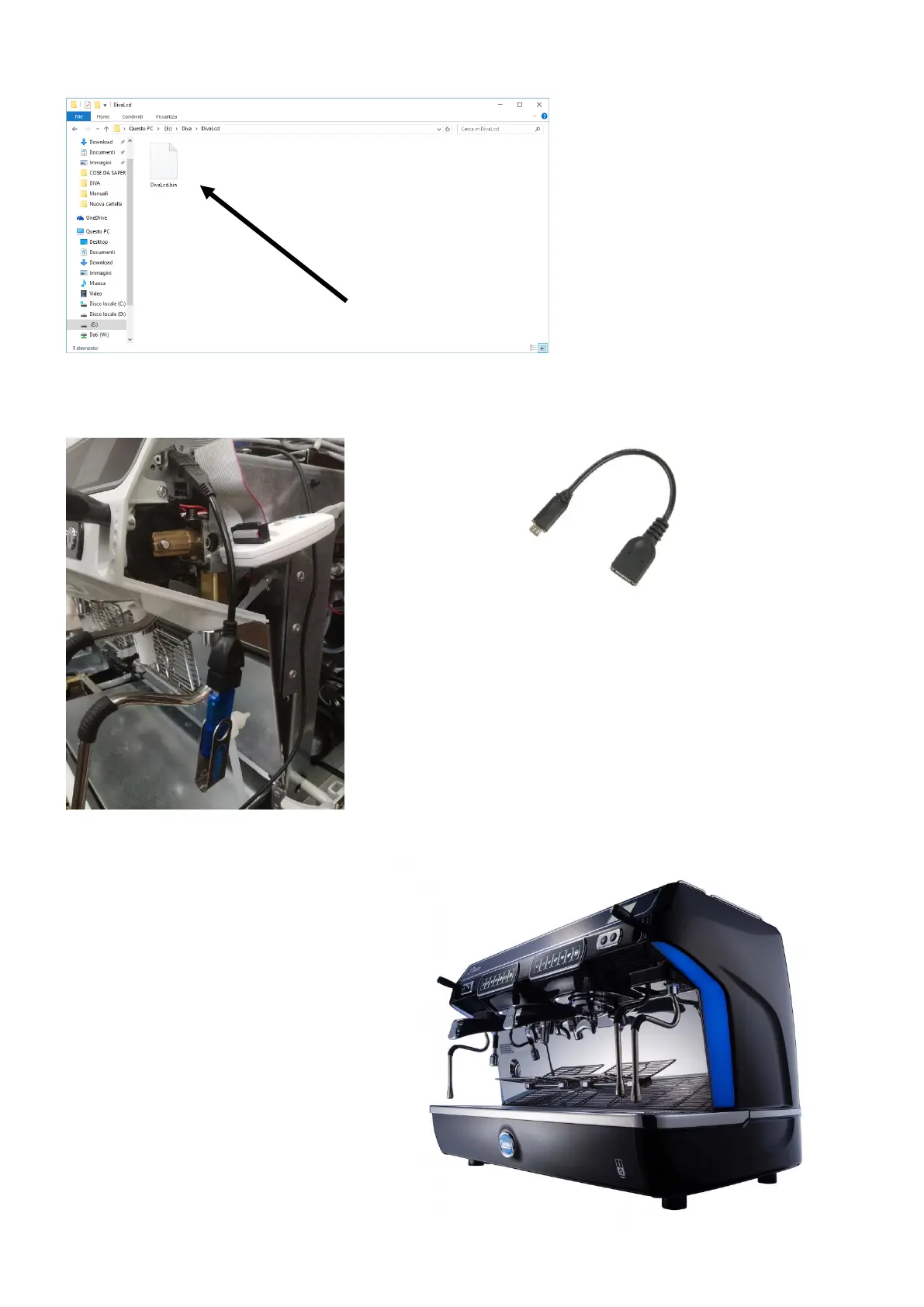
2.2.4) Now you have to copy the file DivaLcd-
XXX.bin inside of the folder Diva\DivaLcd.
Then rename the file as follow:
DivaLcd.bin (you have to delete the release
number)
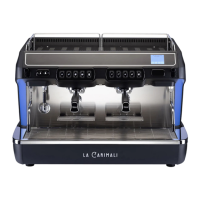
Now connect USB key with an USB – Micro USB cable just like in the photo on
the left. If you need this type of cable the code is: 96.05411
Turn on the machine, then the new software
Will be automatically uploaded
During this phase the display shows in sequences
the following messages:
- USB FOUND
- FLASH PROGRAMMING
- REMOVE USB KEY
After that turn off the machine, remove the USB
key and cable adaptor, close the RH bodywork and
turn the machine on.












 To Next Page