LB.05099.02 Pag. 39 18/10/16
2.2) UPGRADE SOFTWARE ON DISPLAY PCB WITH THE USB FLASH KEY (only for machine whit software V1.06 or higher)
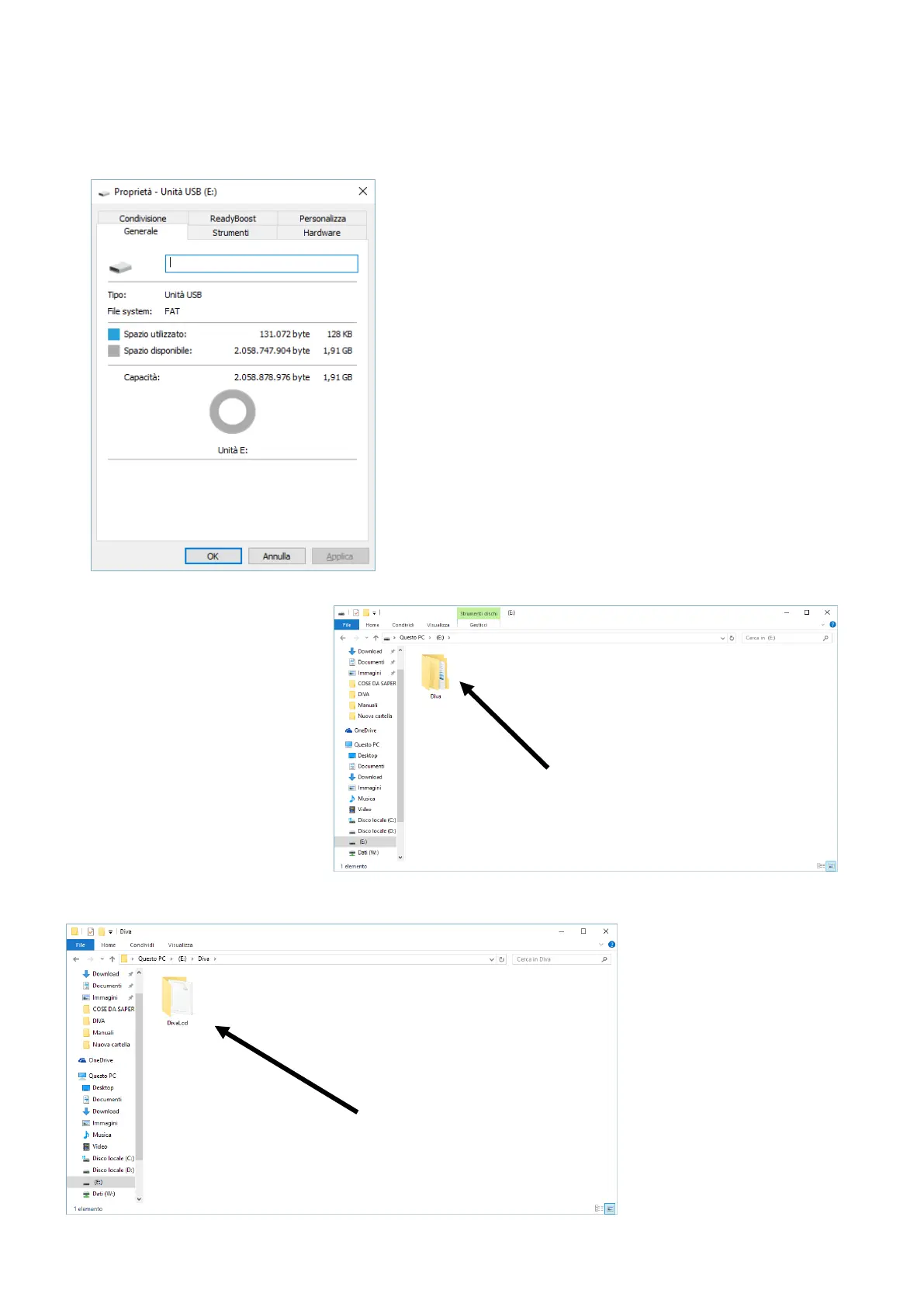
2.2.1) Now pick and USB key and format in FAT file type .
(you can control in propriety of Your USB Key)
2.2.2.)Now open the USB Key and
create a folder, folder name must be
Diva.
2.2.3) Create a new folder inside
folder Diva, folder name must be
DivaLcd.












 To Next Page