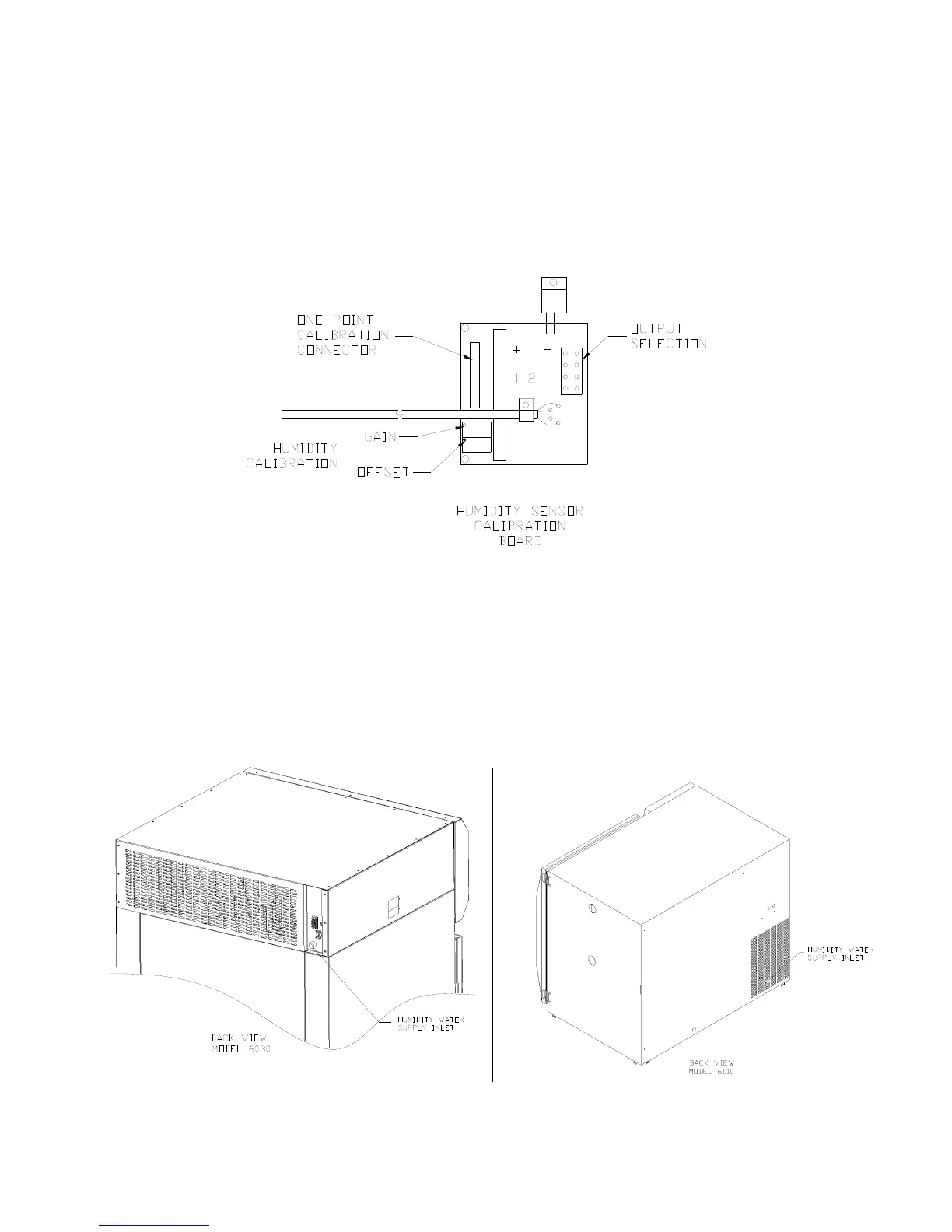
Humidity (Chromalox) Controller Calibration (for Watlow controllers, see Appendix A)
1. Remove the access panel (control panel cover 6030), (right side panel 6010).
2. Find the 2” x 3” black utility box located adjacent to the wiring and in the service area.
(Behind fuse panel 6030, near ceiling 6010).
3. Inside the utility box is the humidity module.
4. Slowly adjust the BOTTOM humidity calibration pot to the desired calibration point as shown
on the humidity controller readout.
Humidity Water Inlet
Model
6030: Facing the back is a water connection in the upper right hand corner. The ¼” FPT
fitting is attached to a filter/strainer and pressure regulator that is set at 40 PSI. Any type of ¼
MPT fitting can be used to connect to water supply.
Model
6010: Facing the back is a water connection in the lower right hand corner. The ¼ FPT
fitting is attached to a filter/strainer and pressure regulator that is set at 40 PSI. Any type of ¼
MPT fitting can be used to connect to water supply.



 To Next Page