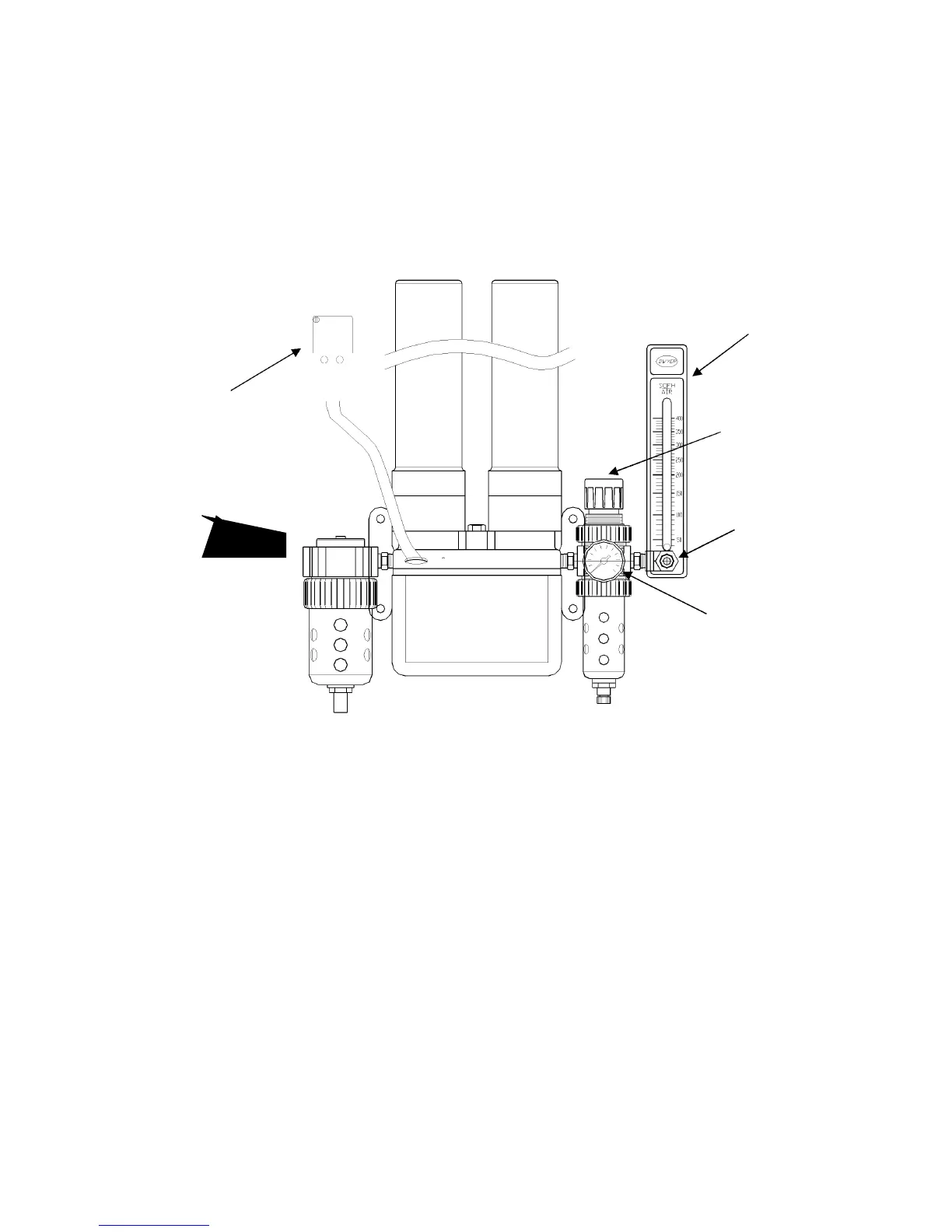
b) Attach the 3/8” ID clear tubing to the outlet of the flow meter. Secure tubing with the hose
clamp provided.
c) Connect compressed air (either from house air or other compressed air source) to the fitting
labeled “air supply inlet”.
NOTE: THE AIR SOURCE MUST BE OIL-FREE AND WATER-FREE AND FILTERED TO 10
MICRONS MINIMUM.
d) Plug in the air regulating solenoid line cord into the matching receptacle located above the
dryer mounting bracket.
AIR OUTLET
PLUG
PRESSURE
REGULATOR
KNOB
AIR INLET PRESSURE
REGULATOR DIAL
PRESSURE
REGULATOR DIAL
TESTING AND ADJUSTMENTS
Connect the cord to the proper receptacle as mentioned above, and turn the humidity power
switch “on”.
Turn on air supply. Be certain that the air pressure into the inlet side of the dryer assembly is set
at a minimum of 90 PSI and not above a maximum of 100 PSI.
To set the pressure regulator
1. Close the air flow adjustment knob
2. Set the chamber to 0% humidity (full dehumidification)
3. Adjust the pressure regulator adjustment knob to 90 psi
To set the air flow rate



 To Next Page