MAINTENANCE
CONTROL
PANEL
ACCESS
MODEL
6030,
6031,
6032
WARNING: Before removing control panel, disconnect all power!
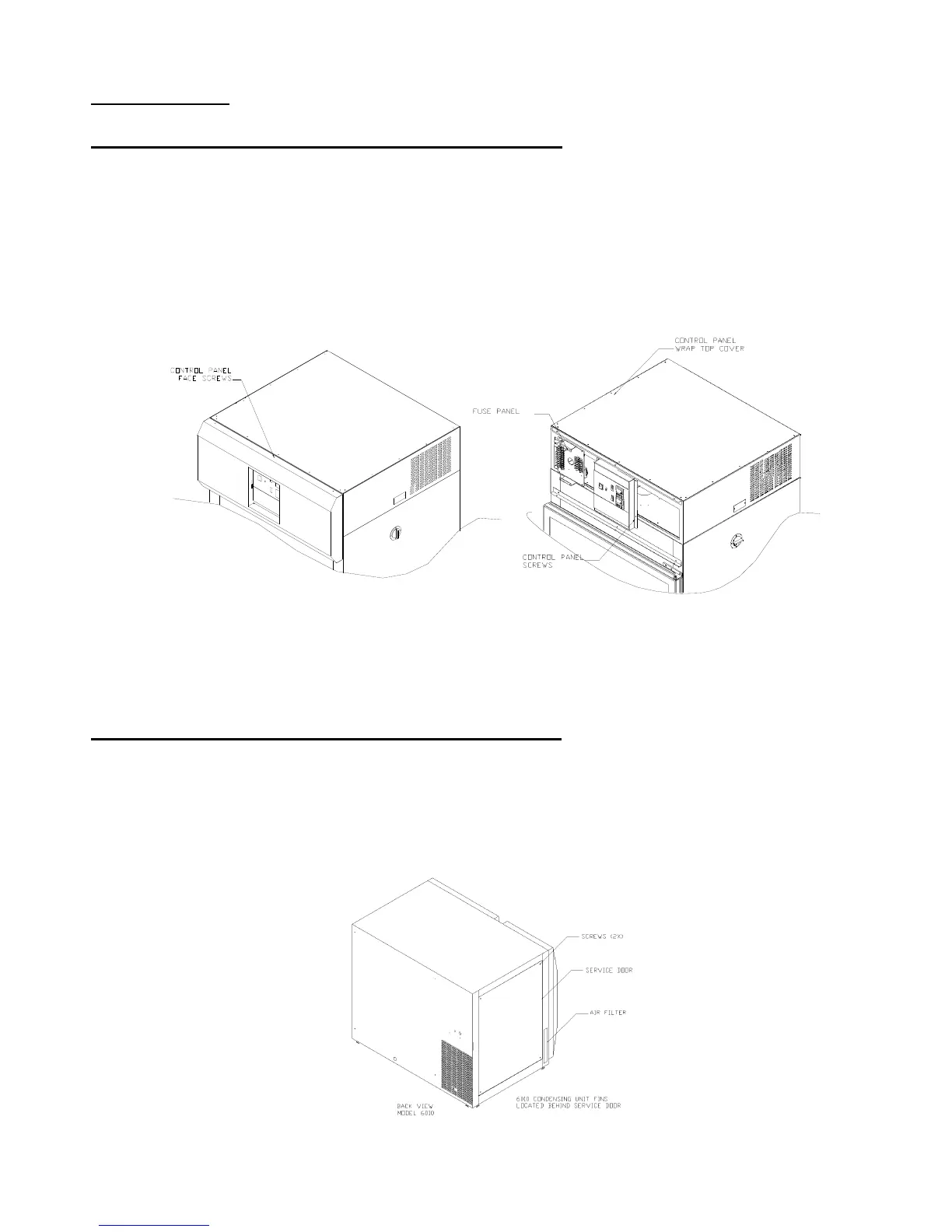
The access to all control panel and top mounted electrical parts, refrigeration parts as follows:
a) The control panel components can be easily accessed by removing the (6)
screws located at the top, and bottom of the control housing cover.
b) Pull the front mounted control housing cover towards you to access the control
panel.
c) Next remove the (4) screws that hold the control panel housing in place, and the
housing will be loose.
d) In order to access the electrical and refrigeration components, remove the sheet
metal screws that are holding the top cover in position.
CONTROL
PANEL
ACCESS
MODEL
6010,
6011,
6012
WARNING: Before removing control panel, disconnect all power!
To access all control panel, electrical parts, and refrigeration parts this can be
done by removing the (2) screws located at the top of the service panel, and pulling the panel out
of it’s slot.



 To Next Page