19
6. PROGRAM DOWNLOAD(IC Writing)
1. Turn off the power.
2. Separate the front cover.
3. You can see SW5 on the main PCB(FIG 2.)
4. Turn on SW5.
5. It’s ready for ‘Program Down loading’.
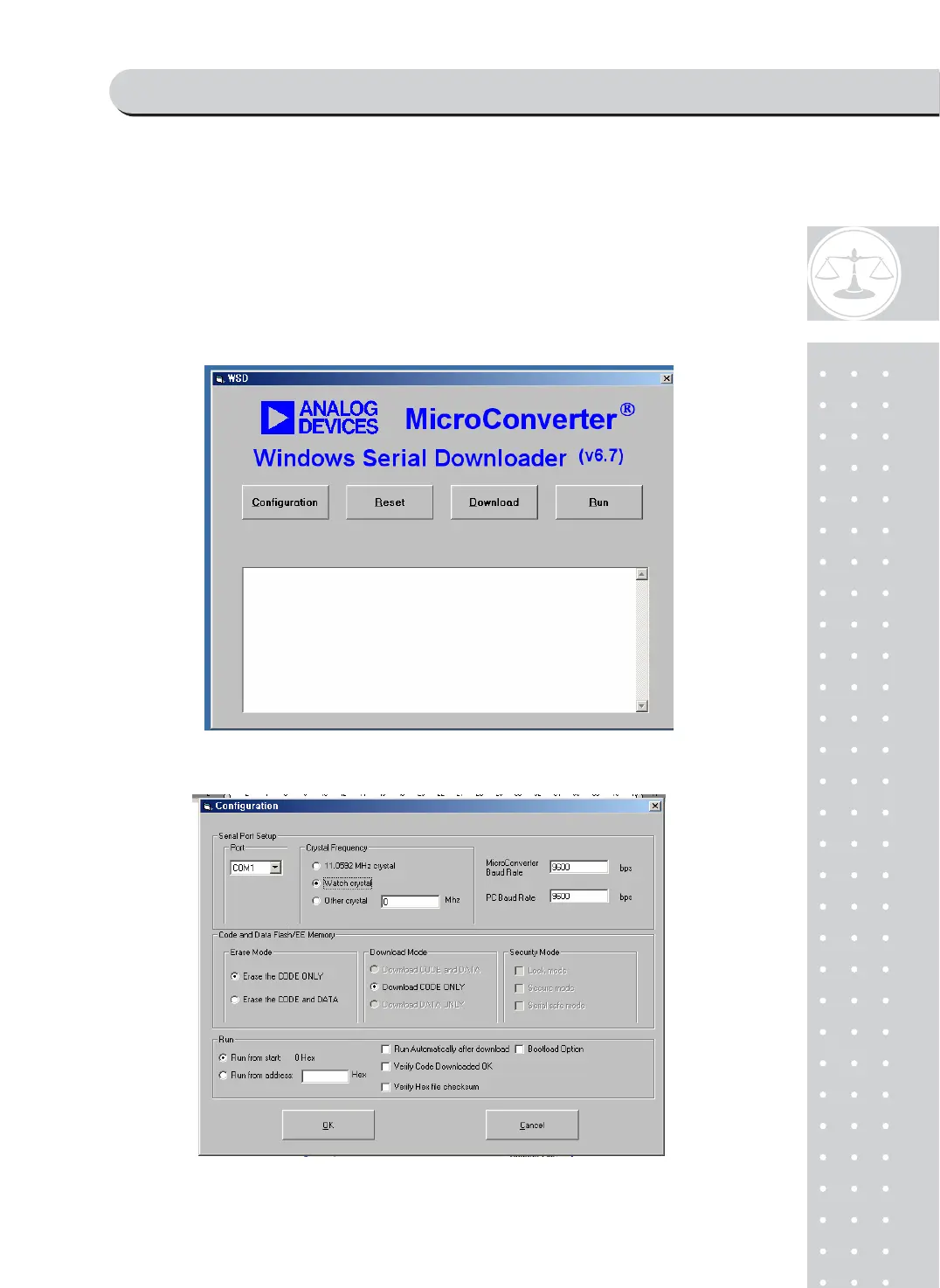
6. Do operate download software .It’s called‘WSD’ ]’
7.
You can see this dialog box. Click ‘Configuration’button.
8.



 To Next Page