89
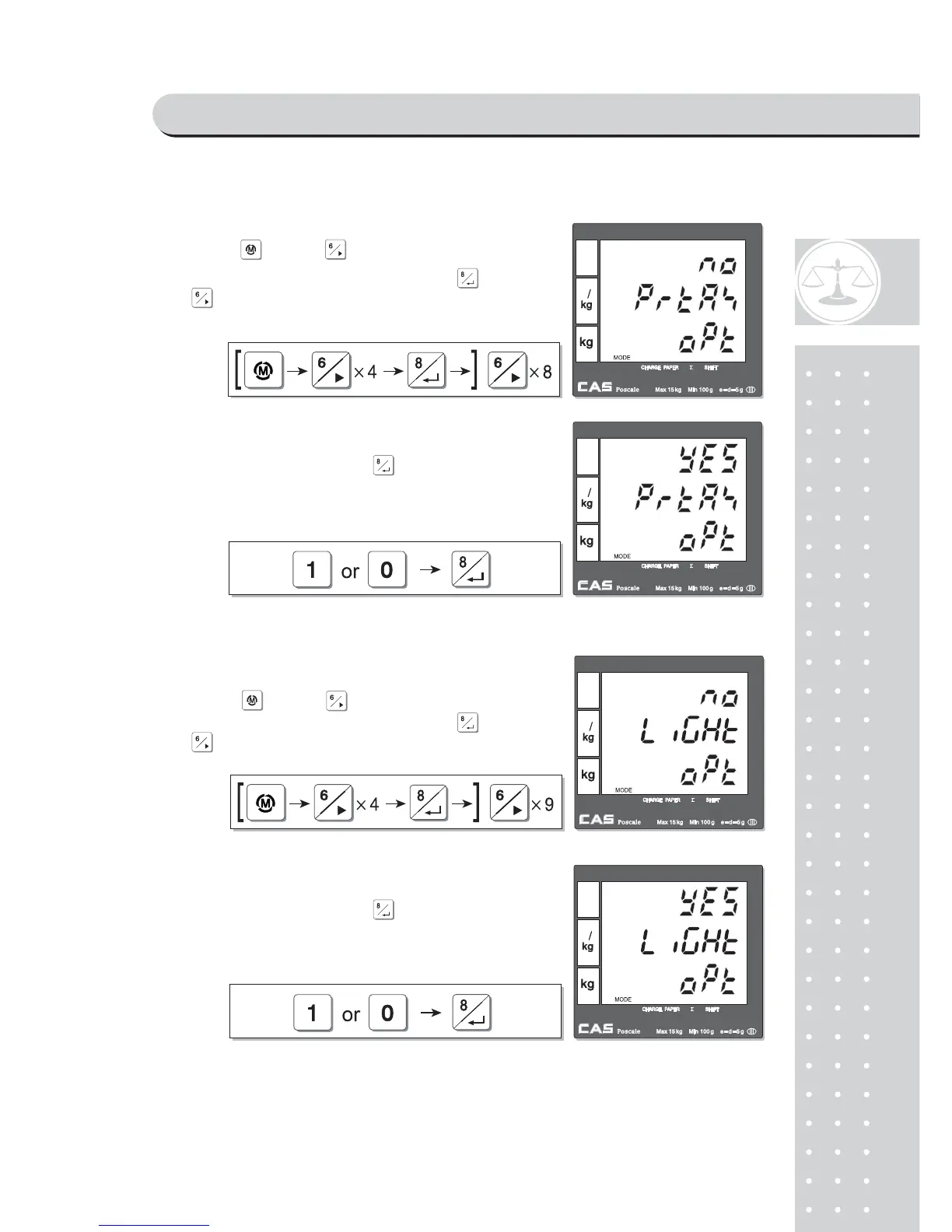
i. Printing tax
j. Use back light
① (Using key and go to option setting
mode from main menu. And then press )
to get into
tax printing mode.
② User may select YES or NO by pressing "1" or
"0" respectively, and press to save it.
① (Using key and go to option setting
mode from main menu. And then press )
to get into
back light setting mode.
② User may select YES or NO by pressing "1" or
"0" respectively, and press to save it.
PROGRAM MODE



 To Next Page