`
1
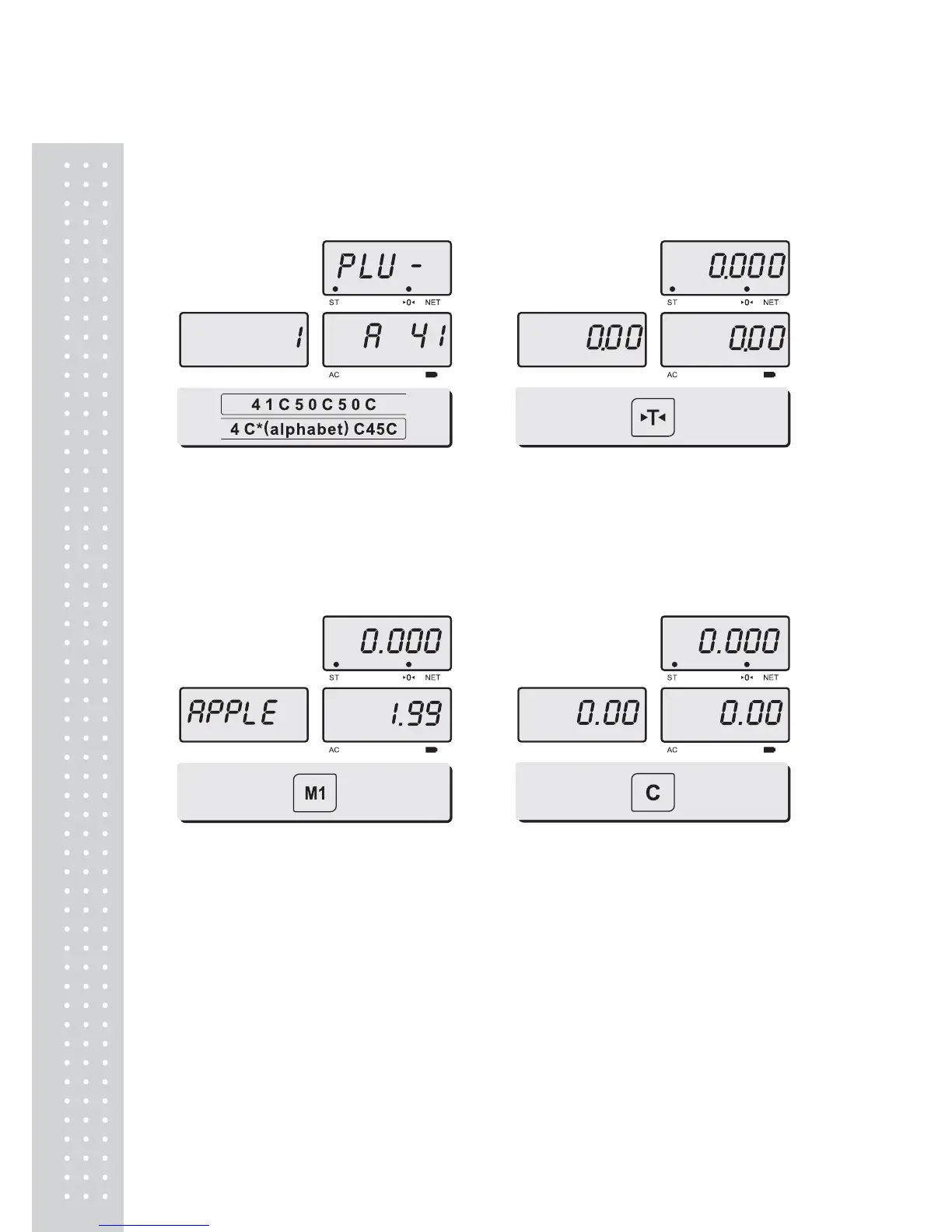
b. Saving PLU name (Option)
C key is to input, save a character, and move to next character (or byte).
TARE key is to move next programming menu.
Input appropriate ASCII codes to ①
save the PLU name.
Ex) “APPLE” is “4, 1, C, 5, 0, C, 5, 0,
C, 4, C(alphabet), C, 4, 5, C”.
② Press TARE key to exit to normal
weighing mode or C key up to maximum
8th byte. Then automatically exit to
normal weighing mode.
c. Calling up PLU
① Press M1 ~ M4 key to call up
PLU. e,g, Press M1 key.
② Press C key to clear and return to the
normal weighing mode.


 To Next Page