15
Chapter 3. User’s Set-up Mode
This section explains how to set up the following functions.
Functions Options Remarks
a. Auto power-off NO / 10 / 30 / 60
b. Suspend Mode OFF / 20 / 40 / 60
①
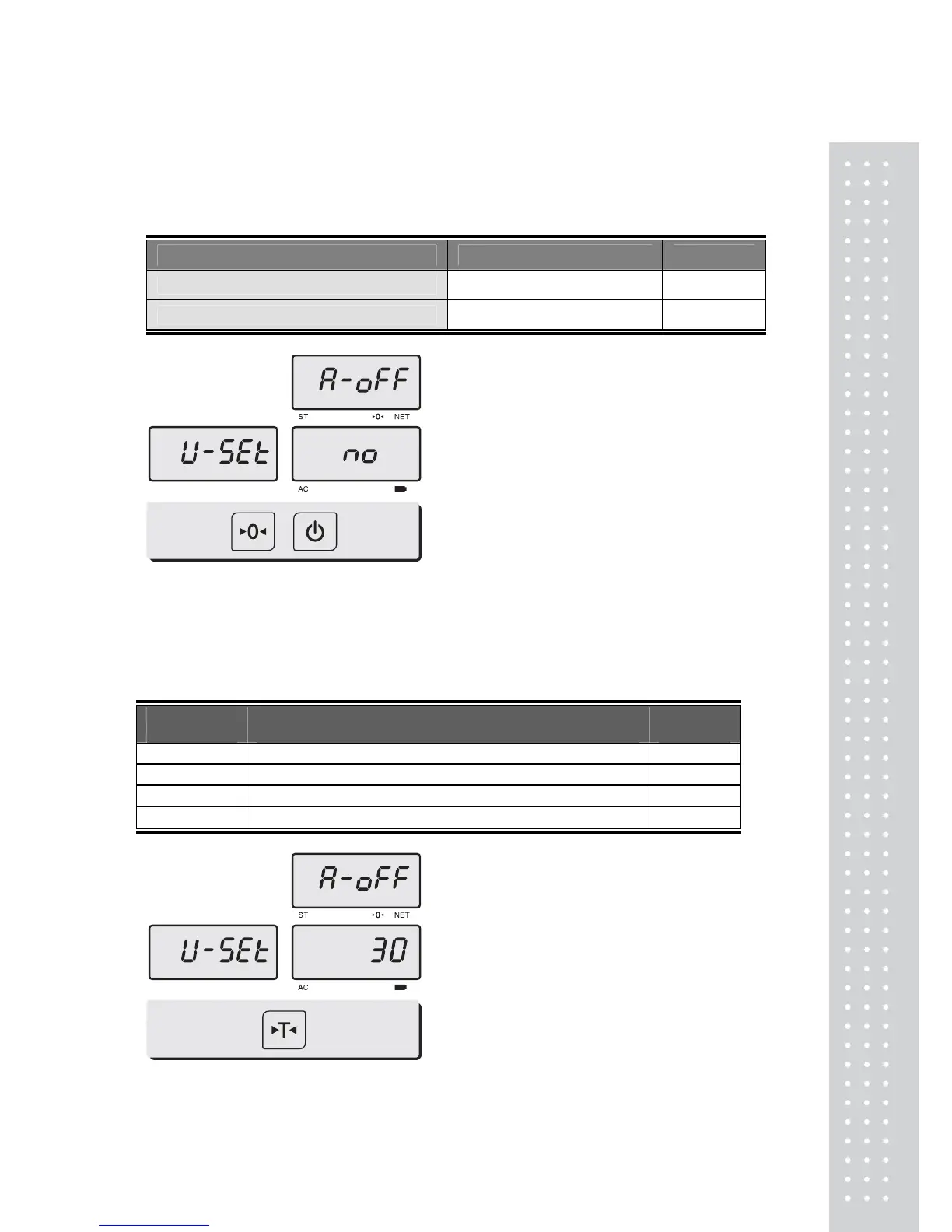
To get into “User’s Set-up
Mode”, hold ZERO key and press
ON/OFF key, while the scale is
Pr
ess ZERO key to save current option and move to next function setting mode.
Press TARE key to move to other next option.
a. Auto power-off
This section explains how to set backlight on & off function and automatic off function.
Options Description Remarks
NO
No auto power-off.
10 (minutes)
Auto power-off in 10 minutes when no use.
30 (minutes)
Auto power-off in 30 minutes when no use.
60 (minutes)
Auto power-off in 60 minutes when no use.
①
Select an option you wish to have
by using TARE key. Ex) 30
(minutes).


 To Next Page