15
Pebble Installation Guide
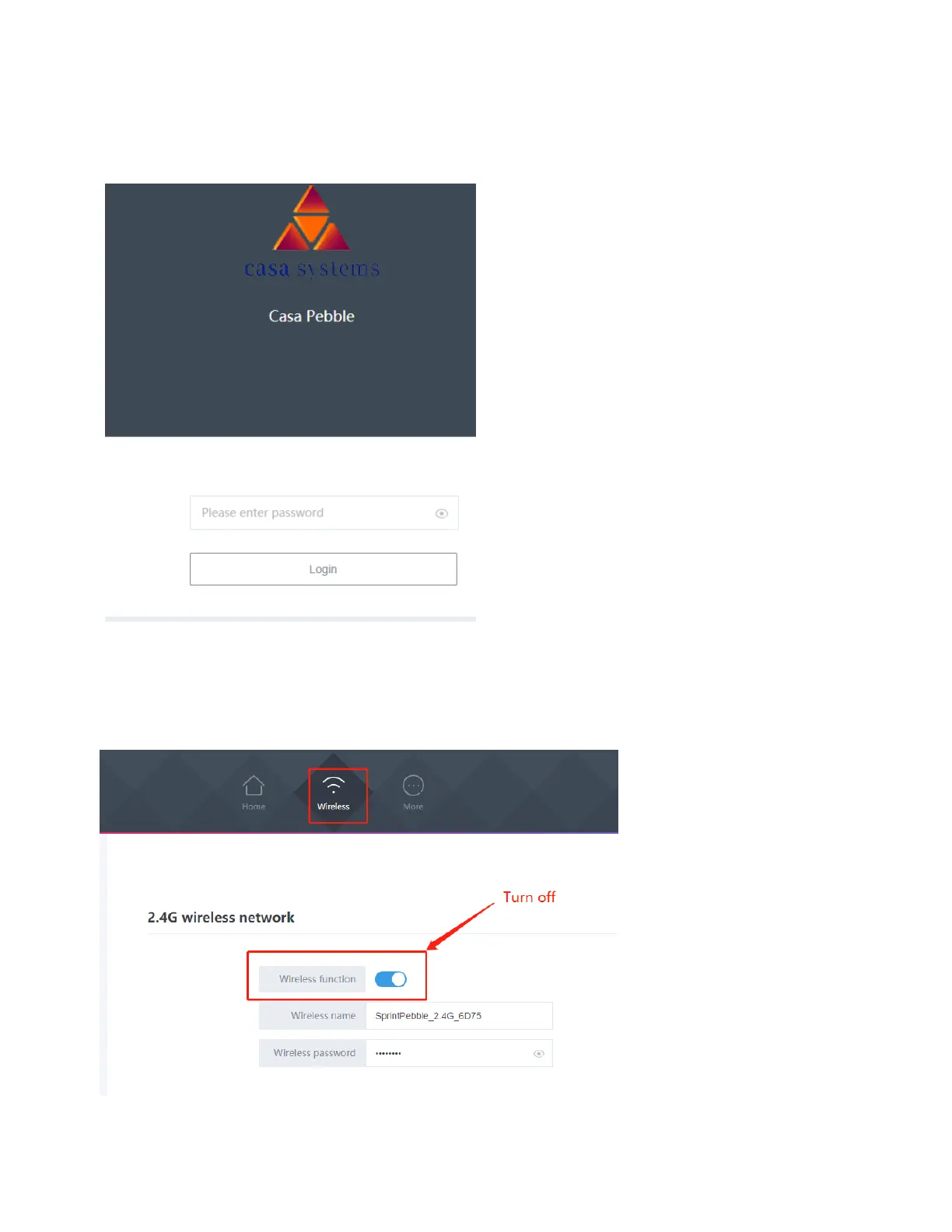
4. Enter the web access password in the textbox shown below.
This password was set earlier in this document (see Wi-Fi connection (for the first time, step
5).
5. Turn off the unused Wi-Fi radio. For example, if you are using 5G Wi-Fi, turn off the 2.4G
Wi-Fi radio on the Pebble unit. Click Wireless, then click the blue button as shown below to
turn off the 2.4G Wi-Fi radio.



 To Next Page