9
Pebble Installation Guide
Wi-Fi connection (for the first time)
The Pebble unit ships with the ability to use Wi-Fi to connect to the Sprint network. The Pebble
unit can use both 2.4 GHz and 5GHz Wi-Fi access from your Wi-Fi router.
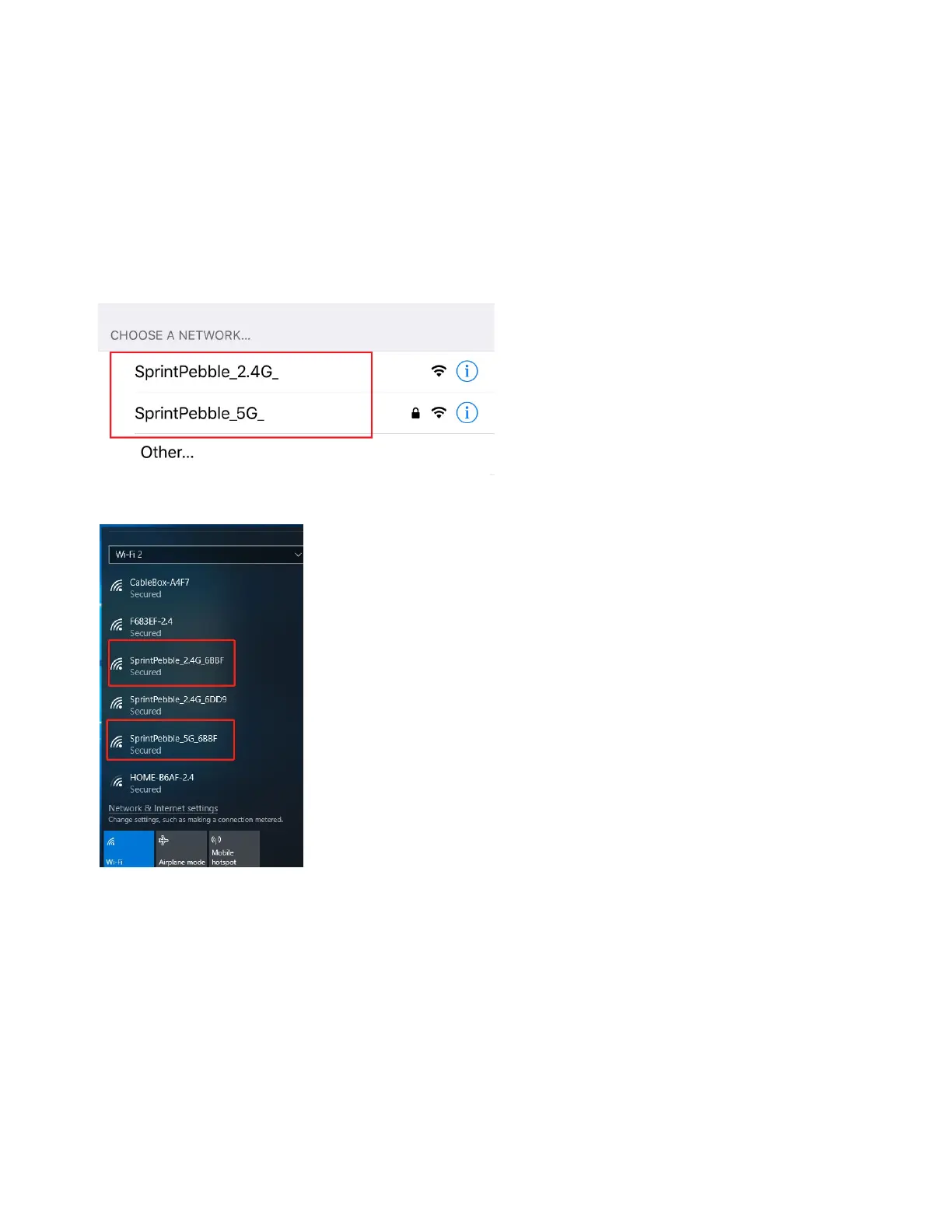
Note: The default SSID is "SprintPebble_2.4G_XXXX" and “SprintPebble_5G_XXXX”.
1. Plug in the power, from a phone or PC, under Choose a Network, select the Pebble unit
as shown below.
Phone
PC
2. Connect to this Wi-Fi network.
3. If using a PC, open a web browser, and enter the following URL: casawifi.com.



 To Next Page