10
Pebble Installation Guide
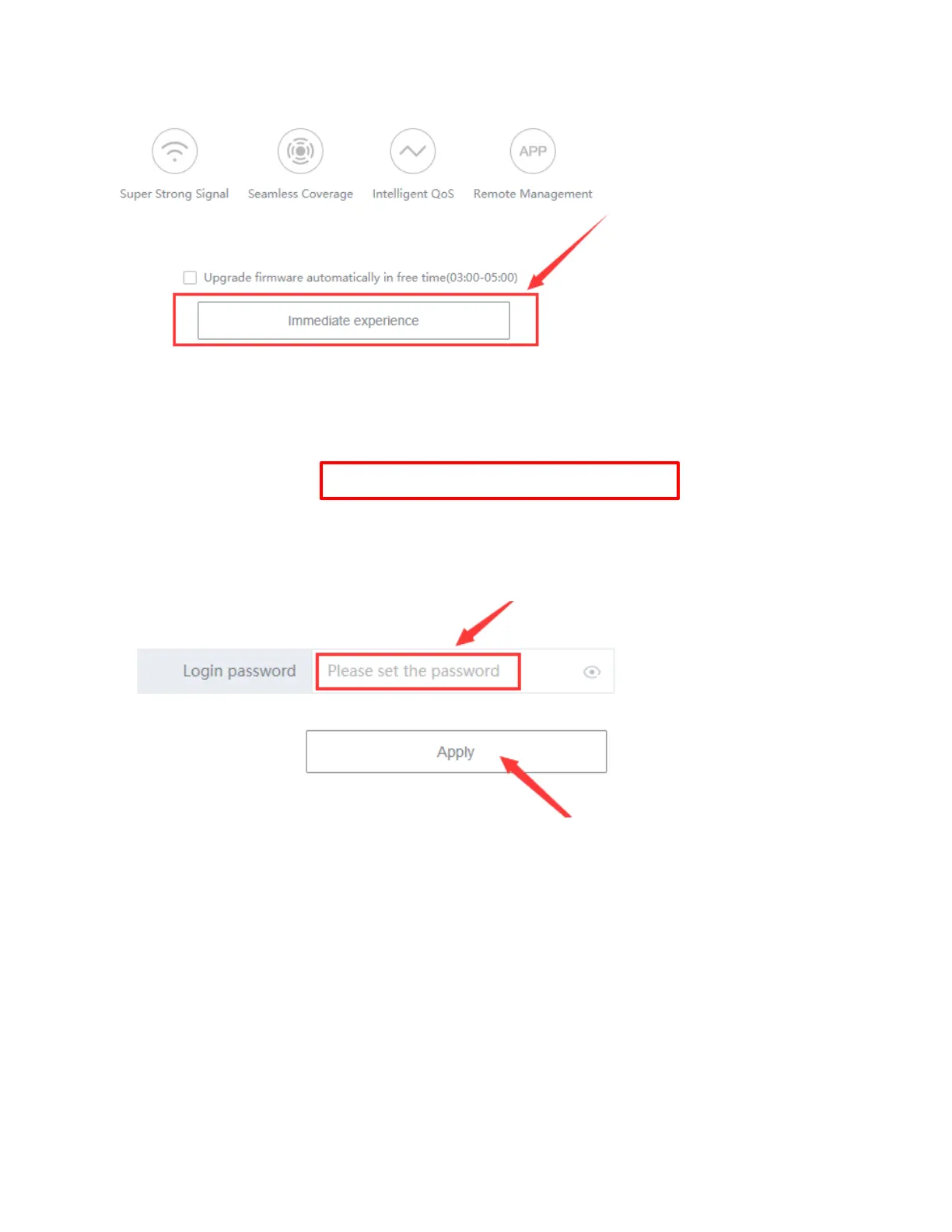
4. When logging in to the Pebble unit for the first time login, click Immediate experience.
Note: If you do not see the page shown above, go to Logging into the Pebble unit after the .
5. On the Set Admin login password screen, create a Login password for the
Pebble unit using the 12-digit device number found on the Pebble label.
6. Enter the password here:
Note: DO NOT BYPASS THIS STEP.
7. Click Apply.



 To Next Page