19
Pebble Installation Guide
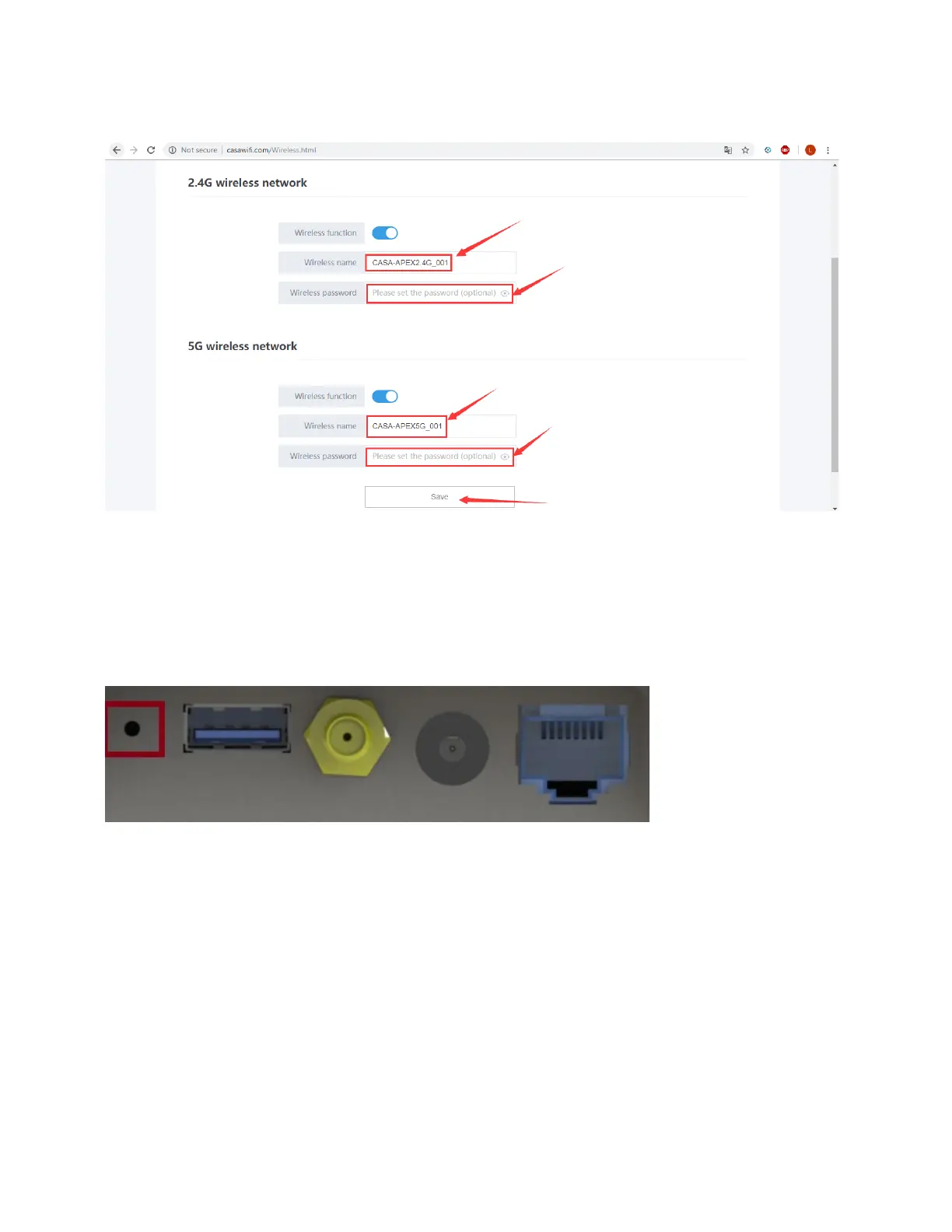
5. In the following dialog, enter the 2.4G/5.0G Wi-Fi SSID (Wireless name) and Wi-Fi
password, then click Save.
Manually Reset the Pebble
The Pebble reset button (shown below) supports the following reset behavior:
• 1 secod short-press reset to reboot both Wi-Fi and LTE
• 10 second long-press reset to factory reset both Wi-Fi and LTE



 To Next Page