14
Pebble Installation Guide
Logging into the Pebble unit after the initial setup
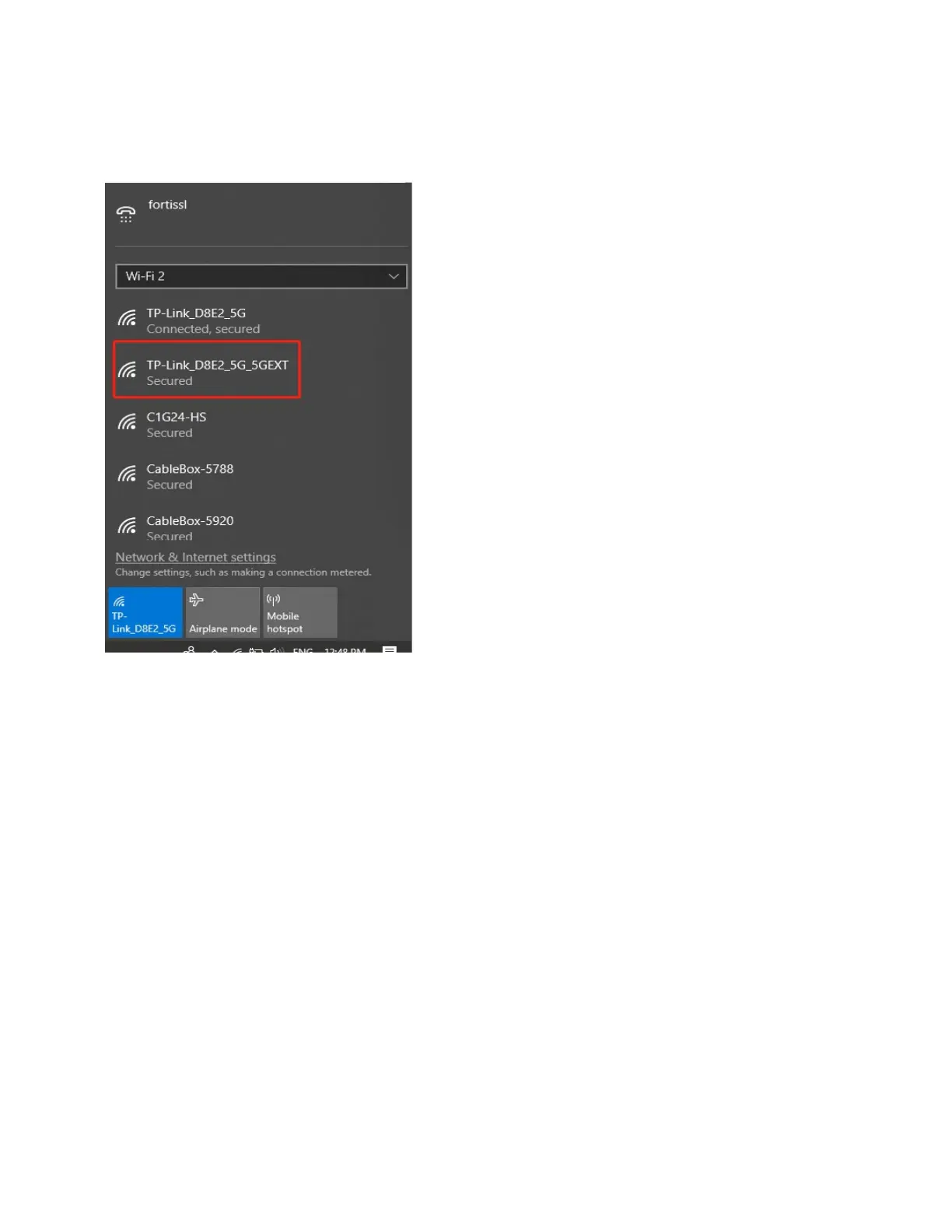
1. From a PC or phone, select the SSID of the Pebble unit Wi-Fi (Example: TP-
Link_D8E2_5G_5GEXT in this example).
2. Connect to this Wi-Fi network.
3. Open a browser and enter the following url: casawifi.com.



 To Next Page