18
Pebble Installation Guide
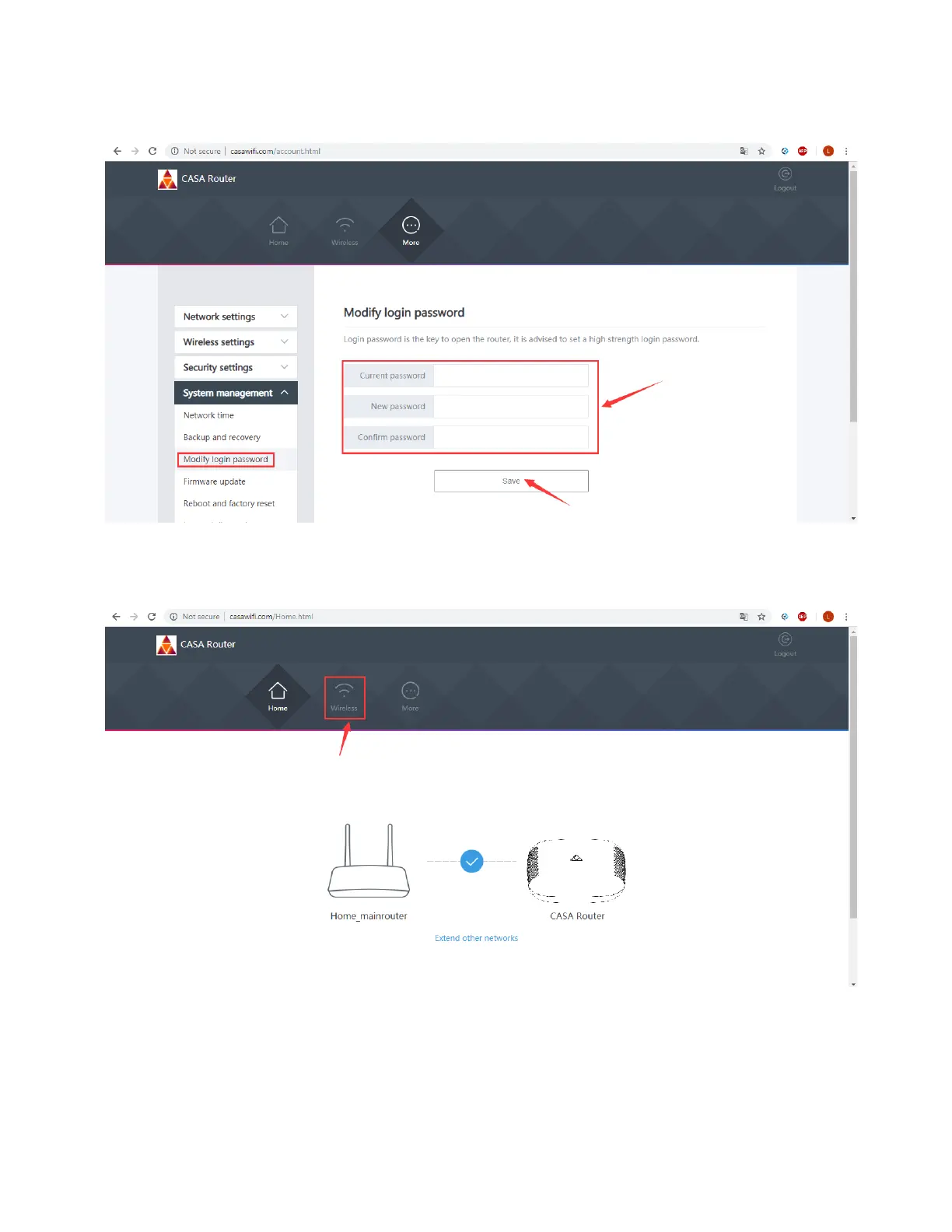
3. On the Modify login password screen, enter the current password then enter a new
password, then click Save.
4. If you want to change the Wi-Fi SSID and Wi-Fi password after logging in, click Wireless
highlighted in red below.



 To Next Page