11
Pebble Installation Guide
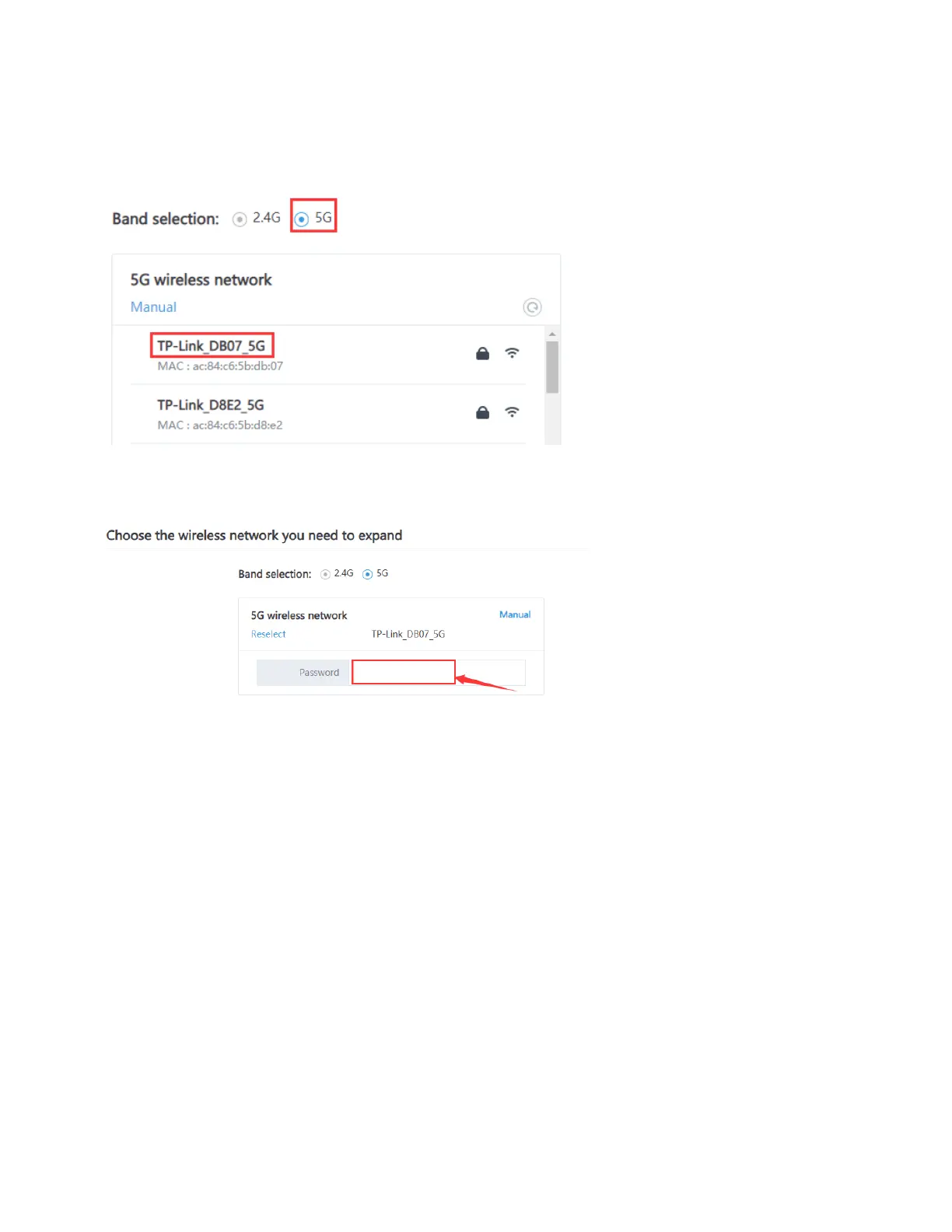
8. Under band selection, if possible, always try to select 5G to select 5GHz Wi-Fi band.
9. Select the 5G wireless network router (SSID). If your Wi-Fi network does not support
5G Wi-Fi, select 2.4G.
10. Enter the password for the Wi-Fi network router (SSID).
Note: This password is NOT the Admin password for the Pebble unit that you created in step
5. This is the password for the Wi-Fi router.



 To Next Page