SECTION 2 - CONTROLS, INSTRUMENTS AND OPERATION
2ï46
Switching applications (Black and White Monitor)
Multiple ISOBUS applications can run in the monitor at
the same time. Switching between applications is
simple.
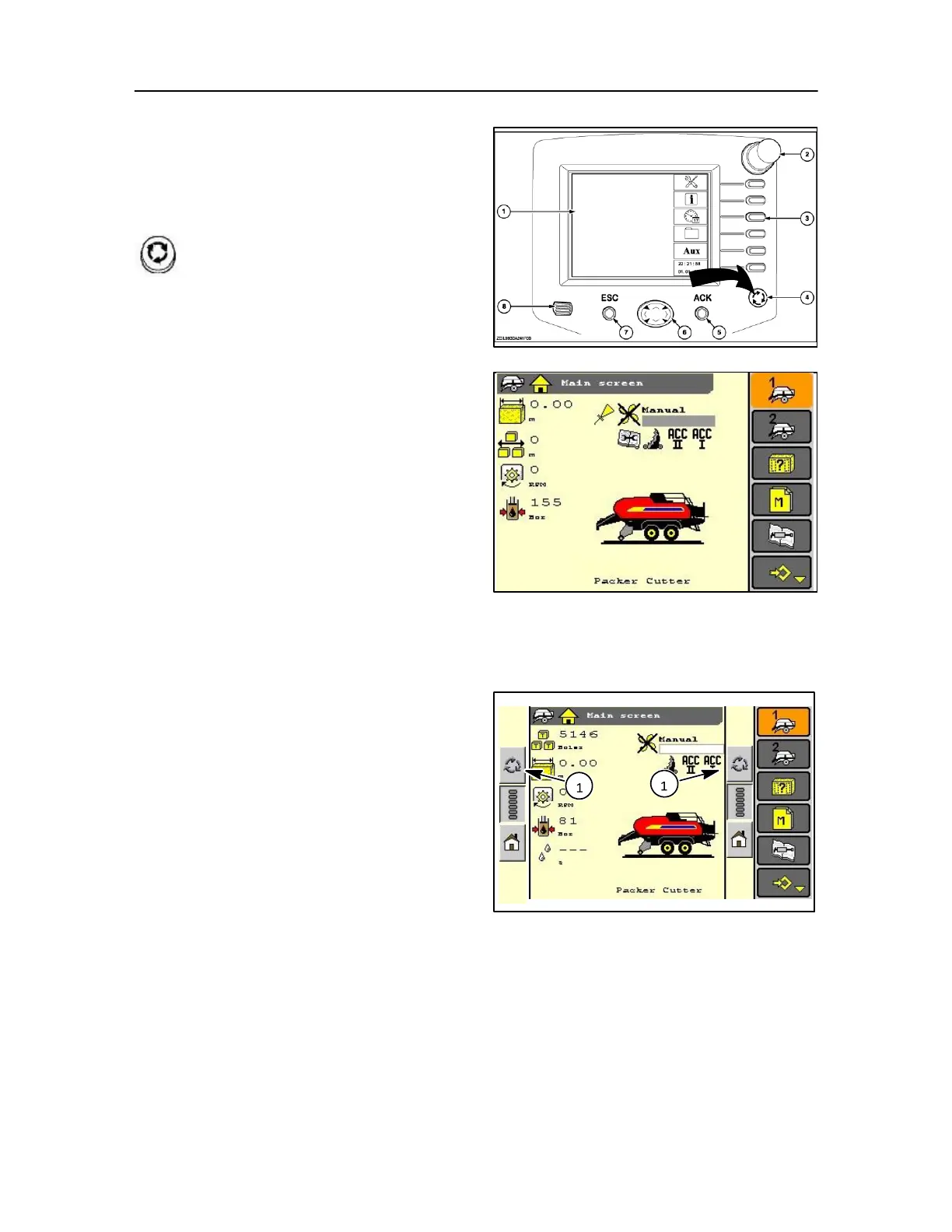
Without exiting the current program, press
the Next Application key (4) to move from the
home screen to the baler screen. Or to
switch to another ISOBUS implement.
To switch between the current farming application and a
display application, and vice versa:
1. Press the Home key to access the Home Screen.
2. Highlight and Select an icon in the display area.
3. When complete, press the Home key again to
access the Home Screen.
4. Highlight and Select the farming application icon on
the Home Screen. The last viewed screen will
display.
NOTE: How many applications can be running
simultaneously is largely a performance issue. Much like
with your home PC, performance slows to an
unacceptable level when too many programs are running
at the same time.
Many simple programs can run at the same time without
compromising performance. Fewer complex programs
can run simultaneously without
compromising performance.
Switching applications (Colour Monitor)
With the touch screen select the next application (1)
on the screen
NOTE: Depending upon operator preference this
application bar can appear either left or right hand side of
the main screen.
Refer to page 2-48.
85



 To Next Page