SECTION 2 - CONTROLS, INSTRUMENTS AND OPERATION
2ï47
MONITOR TOOLBOX APPLICATION (DISPLAY SET-UP)
1. To set the date and time on the display for those
applications which date and time stamp events,
for example file saving.
2. To select display language for those applications
which are available in multiple languages.
3. To select the operator's interface level for those
applications which recognize different levels of
responsibility among users of the software.
4. To select display brightness for all applications.
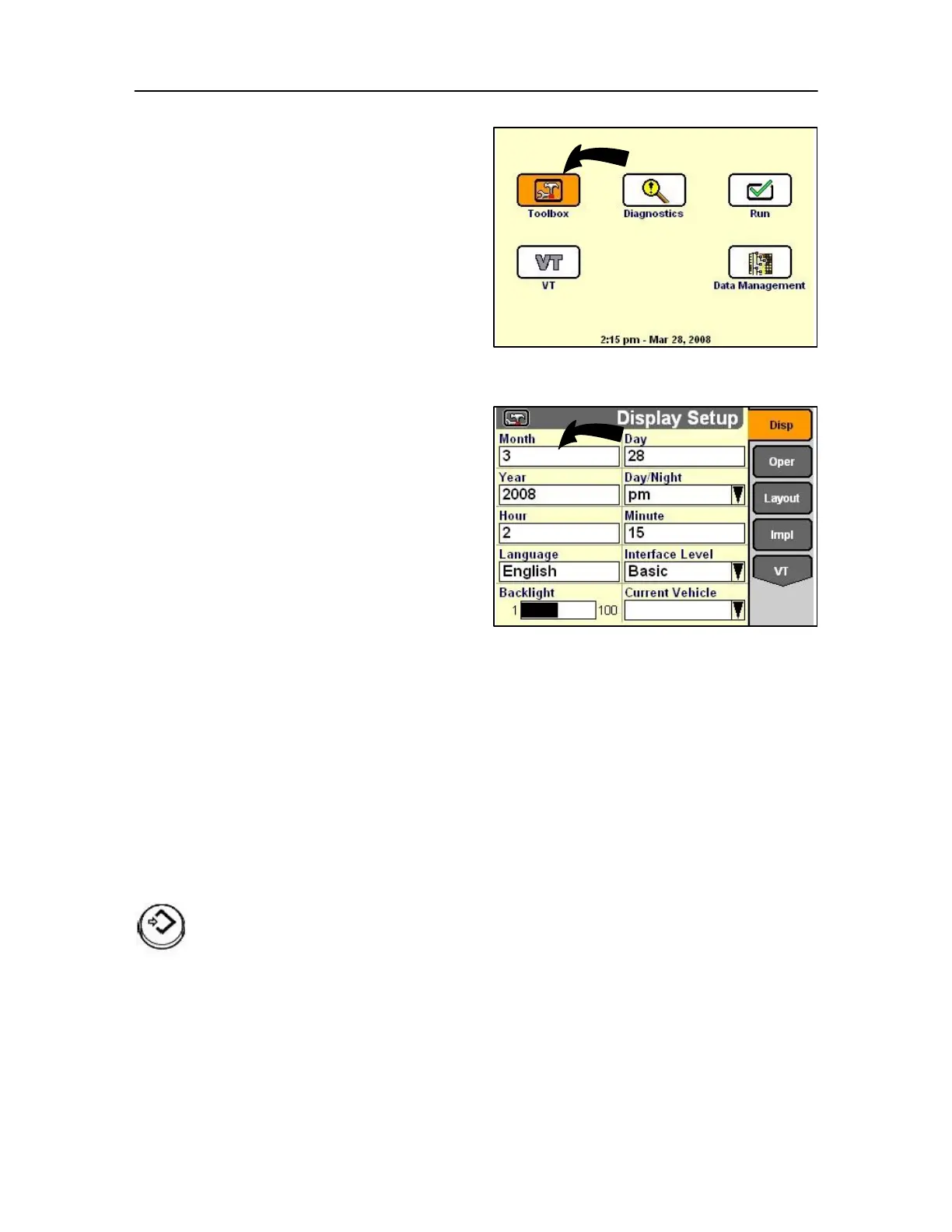
On the Home Screen, highlight the Toolbox icon.
Press Select or touch to start the Toolbox application.
Display Set-up screen
In this screen the following can be considered
Date (Month, Day, Year)
Highlight the Month field.
Press Select or touch to choose the field.
The field changes Colour when selected.
Use the keys or rotary encoder or touch screen to
change the numeric value for the current month
87
Press Select or touch screen to confirm
the change.
Use the same process to change the
• Day (date)
• Year
• Day / Night (AM / PM)



 To Next Page