SECTION 2 - CONTROLS, INSTRUMENTS AND OPERATION
2ï62
From the monitor Preferences screen, highlight and
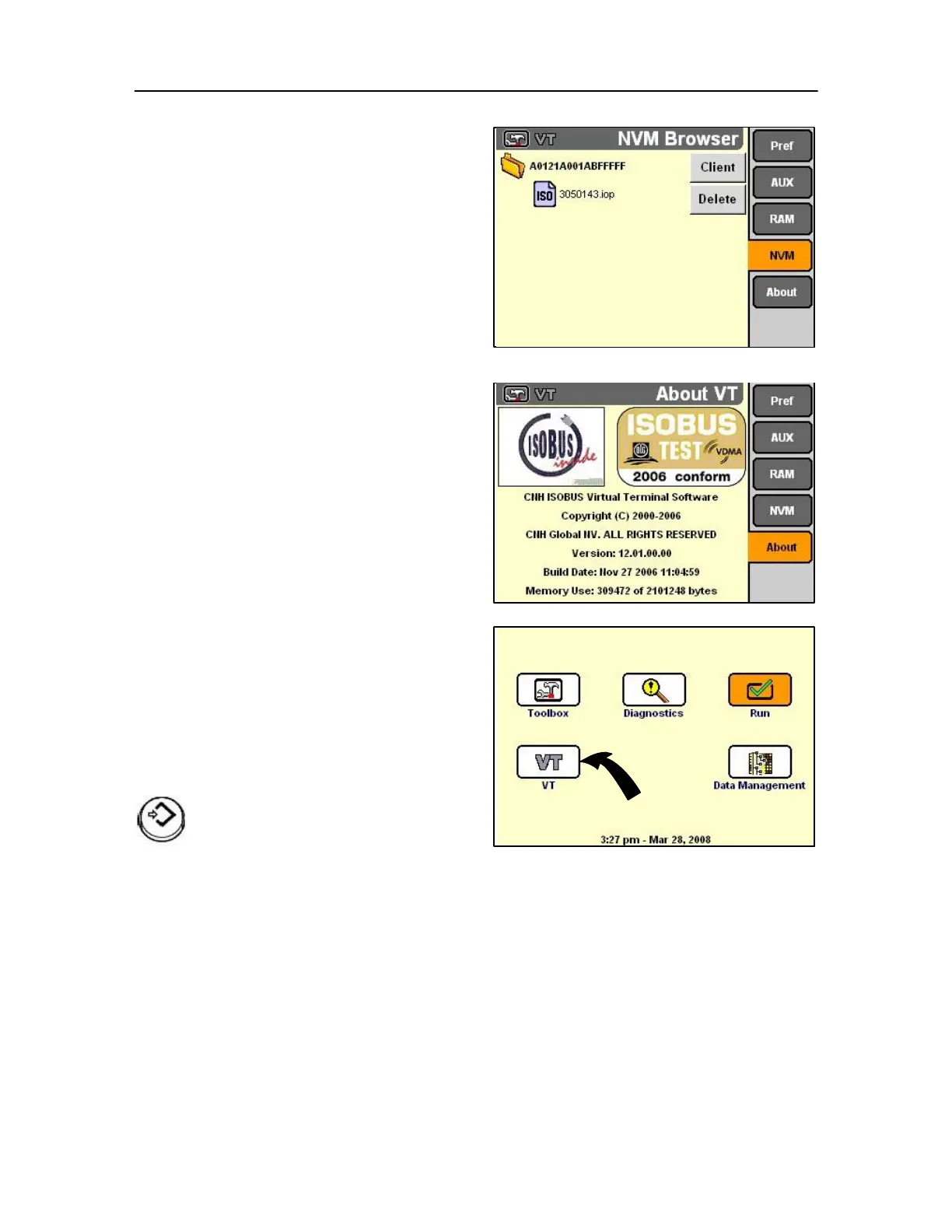
Select NVM to display the NVM Browser screen.
The browser screen shows the software object pools
which are stored in non-volatile memory (“flash”
memory) in the display from monitor clients.
Each object pool is represented by a folder with a hex
title and a file with a seven digit name and extension.
The monitor has sophisticated routines for managing
NVM – auto-cleaning and auto-reclaiming. There is
little likelihood that an operator will need to delete
object pools from NVM. Perform actions on this
screen under the instruction of service personnel
only.
About screen
The monitor application is used for vehicles,
implements and systems that conform to ISO 11783.
As the about screen shows, the ISOBUS monitor
software has been tested for the conformity with the
ISO standard.
Since monitor software resides at the highest layer in
the monitor, it inherits the display set-up information
and operator preferences already entered using the
vehicle Toolbox application. (See the Display Set-up
screen and Operator Preferences screen). There is
no need to re-enter this information for the monitor
software.
Monitor run application
Use the RUN application to access the user-defined
screens for any farming application. The software
must be present and running to access the
appropriate run screens. Switching to another
farming application will also switch to the appropriate
set of run screens for that application.
On the Home Screen, highlight the VT icon.



 To Next Page