SECTION 2 - CONTROLS, INSTRUMENTS AND OPERATION
2ï63
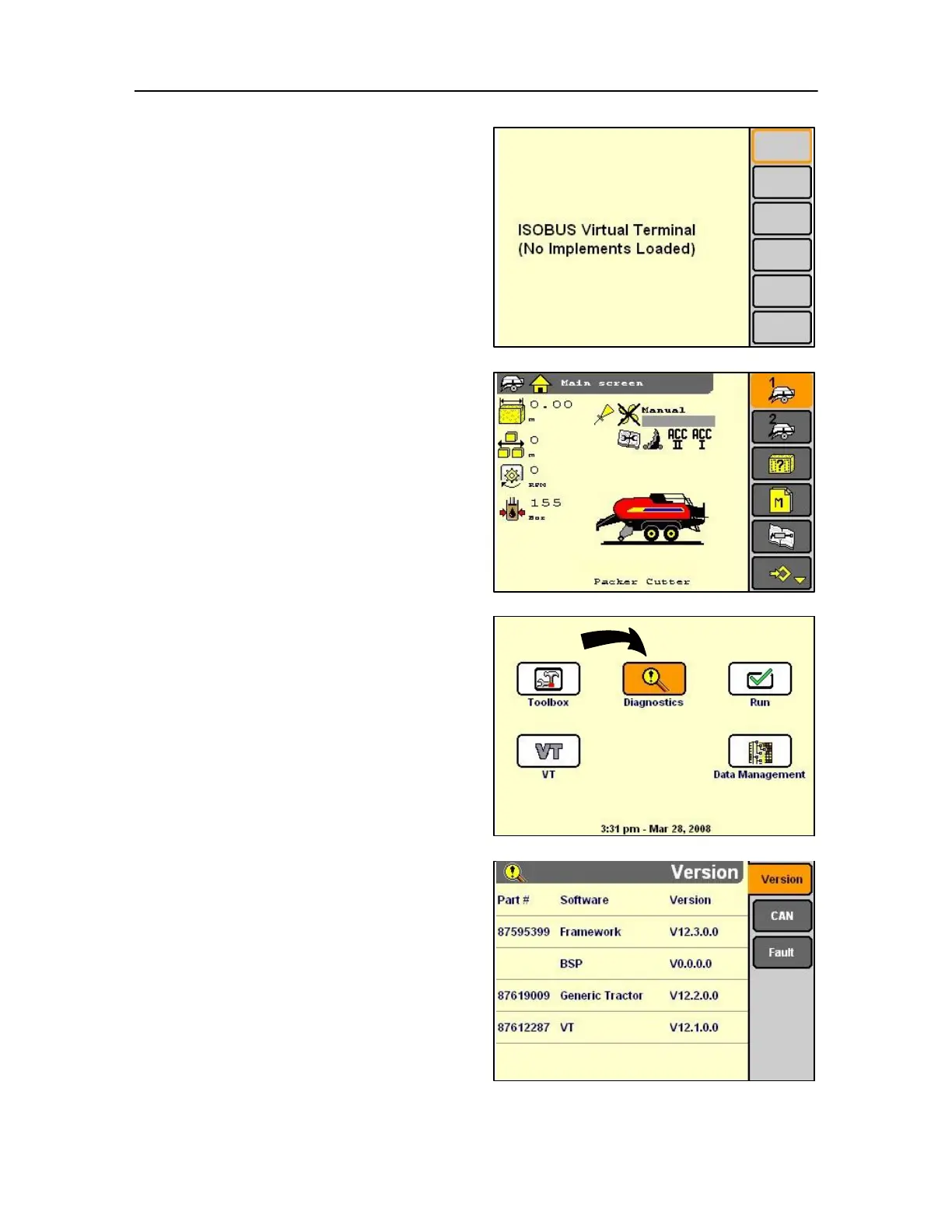
Press Select or touch to start the VT application.
130 NOTE: If an application does not use Run screens or the
screens have not been customized with Layout, the screens
are blank. See the Toolbox Layout screen.
IMPORTANT: Refer to the Software Operator's Manual for
information on the Run screens used in a farming
application.
When an application has been loaded into the object
pool for example the Baler the operating screen will
appear.
Operation of the baler screens is explained further as
you progress through the following Screens in this
section.
Diagnostics application
Use the Diagnostics application:
• to check monitor software versions when requested
by service personnel, • to check controller status
when requested by service personnel.
On the Home Screen, highlight the Diagnostics icon.
Press Select or touch to start the Diagnostics
application.
The Version screen displays.
The Version screen reports the part number and
revision level for three software components on the
monitor: the foundation (or framework) software, the
vehicle software and the monitor software.
Provide this information to service personnel when
requested.



 To Next Page