SECTION 2 - CONTROLS, INSTRUMENTS AND OPERATION
2ï83
5. 2500 bale shearbolt interval 178 The service log
enables a visual reminder of what is required and
when it was completed.
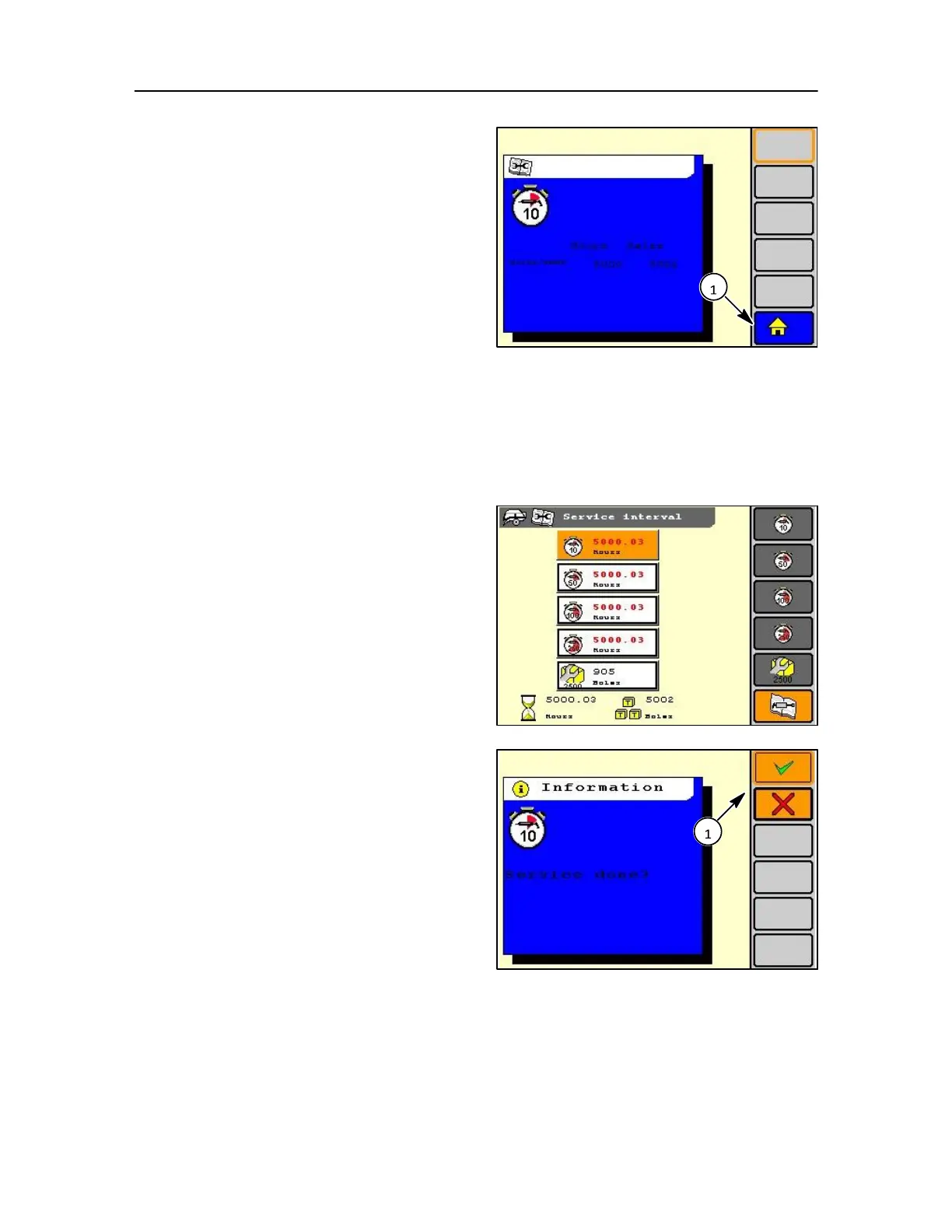
Select a service interval in the soft key area and a
blue pop-up will appear.
The dates of the last four times the interval was
confirmed are displayed. If there are less than four
entries only the valid entries are shown and the others
are left blank.
Also shown are the total hour count at the moment of
confirmation of the service.
179
To suppress or show the pop-up select the item
Service interval in user settings by using the
navigation keys.
NOTE: If the user selects to show the pop-up window the
user can close the window using the escape key.
Confirmation of a service interval
On completion of a service operation the interval icon can
be removed by confirmation of the user.
Go to the main screen and select the correct service
interval in BOLD text.
NOTE: Do not have the selection box flashing on selection of
an item.
Pressing the soft key, encoder, or touch screen on a
service interval that is active will give a pop-up
message.
This pop-up message contains the text:
Service done?
• Press the TICK key to confirm if okay • Press
the CROSS key to confirm if not okay
• Press escape key to cancel.
After confirmation the service interval is deactivated
and the value is returned to zero.



 To Next Page