Receiving Phone
Notifications
You can use your watch to check the details
of incoming calls, mail, and SNS alerts and
information that are received by a phone
connected to the watch by Bluetooth. The
watch can have up to 10 notifications stored in
its memory.
●
To receive notifications from your phone,
you need to pair the watch with it.
l
Getting Ready
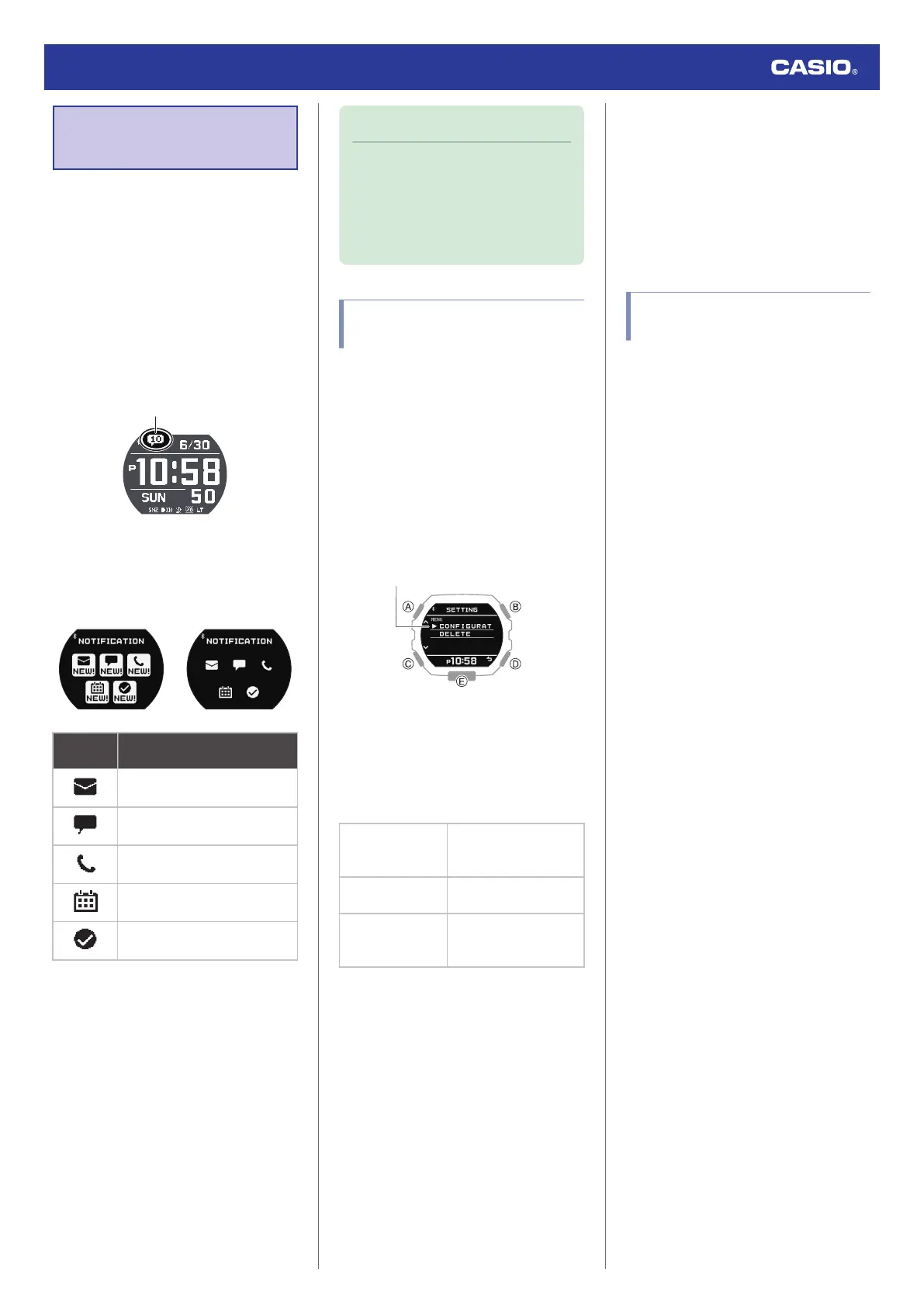
The number of new messages is shown on the
Timekeeping Mode display.
You can use the Notification Mode to check
notification types and whether there are any
new messages.
New Messages
Received
No New Messages
This
indicator: Means this:
Mail
SNS
Incoming calls, missed calls
Schedule
Other
●
While notification receive is enabled,
reception of a notification causes its
contents to appear on the display,
regardless of the mode (Notification Cut-in).
l
Enabling and Disabling Incoming Call
Notifications
Note
●
The watch automatically returns from
the Notification Mode to the
Timekeeping Mode if you do not
perform any Notification Mode
operation for about two or three
minutes.
Enabling and Disabling
Incoming Call Notifications
You can enable or disable notification receive
as required.
1. Enter the Notification Mode.
l
Navigating Between Modes
2. Press (B).
This displays the notification list.
3. Hold down (A) for at least two seconds.
This displays the Notification Mode
setting screen.
4. Use (A) and (C) to move the pointer to
[CONFIGURATION].
5. Press (B).
6. Use (A) and (C) to select a notification
receive ON/OFF setting.
[ON]
Enables receive and
notification cut-in
display.
[ON (RUN OFF)]
Disables receive during
run timing only.
[OFF]
Disables receive and
notification cut-in
display.
●
Notification cut-in displays the contents
of a received notification, regardless of
the watch mode.
●
After about 30 seconds, the display will
return to what it was before the
notification cut-in appeared.
7. Press (B) to complete the setting
operation.
After the setting operation is complete,
[SETTING COMPLETED] will appear for
a few seconds, and then the Notification
Mode setting screen will re-appear.
8. Press (D) to exit the setting screen.
Displaying Notification
Contents
1. Enter the Notification Mode.
l
Navigating Between Modes
2. Press (B).
This displays the notification list.
●
The notification list can contain up to 10
notifications.
●
Addition of a notification to the list when
it already contains 10 notifications, will
cause the oldest notification in the list to
be deleted to make room for the new
one.
3. Use (A) and (C) to move the pointer to the
title of the notification you want to view.
4. Press (B).
This displays the details of the notification.
From 83 to 100 double-width characters
are displayed for the body text.
●
You can use (A) and (C) to scroll.
●
To return to the notification list, press
(D).
●
To return to the Timekeeping Mode,
hold down (C) for at least one second.
Watch Operation Guide 3568
19



 To Next Page