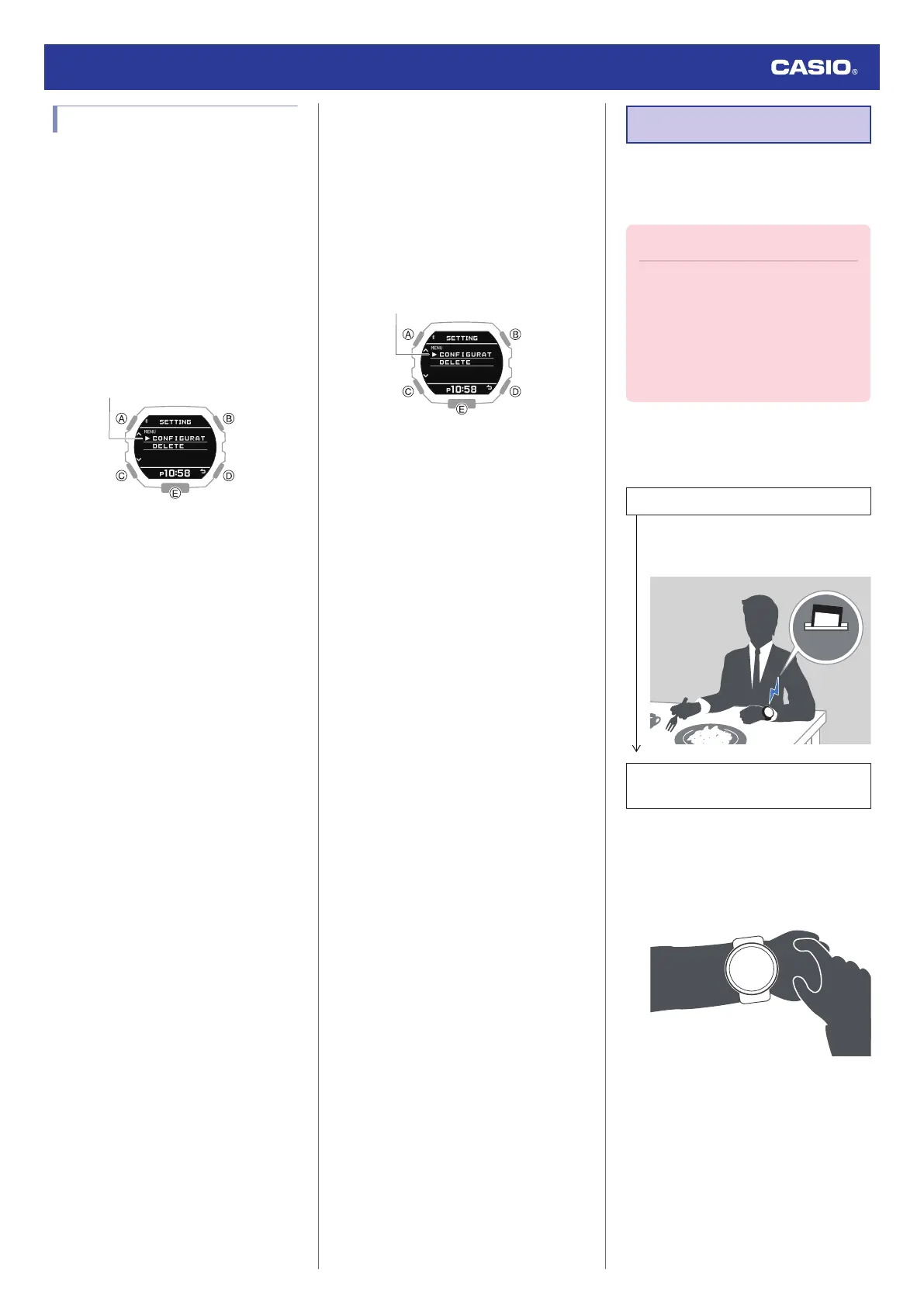
Deleting a Notification
●
Deleting a Particular Notification
1. Enter the Notification Mode.
l
Navigating Between Modes
2. Press (B).
This displays the notification list.
3. Use (A) and (C) to move the pointer to the
title of the notification you want to delete.
4. Hold down (A) for at least two seconds.
This displays the Notification Mode
setting screen.
5. Use (A) and (C) to move the pointer to
[DELETE].
6. Press (B).
7. Use (A) and (C) to move the pointer to
[ONE].
8. Press (B).
9. Use (A) and (C) to move the pointer to
[EXECUTE].
●
To cancel data deletion, move the
pointer to [CANCEL].
10. Press (B).
After the data delete operation is
complete, [DELETE COMPLETED] will
appear for a few seconds, and then the
Notification Mode screen will re-appear.
●
Deleting All Notifications
1. Enter the Notification Mode.
l
Navigating Between Modes
2. Press (B).
This displays the notification list.
3. Hold down (A) for at least two seconds.
This displays the Notification Mode
setting screen.
4. Use (A) and (C) to move the pointer to
[DELETE].
5. Press (B).
6. Use (A) and (C) to move the pointer to
[ALL].
7. Press (B).
8. Use (A) and (C) to move the pointer to
[EXECUTE].
●
To cancel data deletion, move the
pointer to [CANCEL].
9. Press (B).
This displays a confirmation screen.
10. Use (A) and (C) to move the pointer to
[YES].
11. Press (B).
After the data delete operation is
complete, [DELETE COMPLETED] will
appear for a few seconds, and then the
Notification Mode screen will re-appear.
Time Correction
Your watch can connect with a phone to obtain
information that it uses to correct its date and
time setting.
Important!
●
When you are on an aircraft or in any
other location where radio signals area
may cause problems, enable the
watch’s Airplane Mode to disable
connection with your phone.
l
Using the Watch in a Medical
Facility or Aircraft
Referring to the information below, configure
the time setting in accordance with the method
that suits your own lifestyle.
Do you use a phone?
Time correction by connecting with your
phone is recommended.
l
Auto Time Correction
If your phone cannot connect with the
watch
You can correct time settings by
performing operations on the watch.
l
Using Watch Operations to Correct the
Time Setting
Watch Operation Guide 3568
20



 To Next Page